Aaron Bray - Pulse Physiology Engine | JupyterCon 2020
Skills:
Reading ML Papers70%
Key Takeaways
Integrates Pulse Physiology Engine with Jupyter for improved usability
Full Transcript
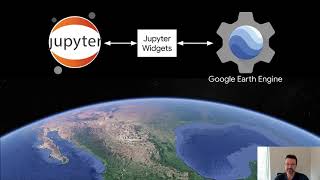
hi welcome to the jupiter con talk on the pulse physiology engine my name is aaron bray i'm a software developer at kitware i specialize in modeling and simulation architecture integration of physics-based phenomenologies into distributed network systems game engines custom applications basically exposing these complex algorithms to an expanded user base so that comes to what i want to talk about today is usability and how we can utilize jupiter to really reach a broad user base for something that some mathematical library that we're writing pulse is what i'm going to use as an example it's a real time c plus plus simulator so right away complexity is pretty hard to pretty high to use pulse you really need to be have a high level of technical skill in c plus plus to to use it um exposing it through python lowers that complexity python is really easy and user friendly for a broader audience so wrapping pulse in python is really beneficial to expand our user base and then integrating it into jupyter notebooks really gets us a wider audience because we can found a problem we can walk it through we can create a nice interface and really expose our library into an application setting and expand our base everything that i'm going to talk about today is open source and available at pulse.kitwork.com there's links to documentation and repositories everything that i'm talking about so let's start with about talking about what pulse is it's basically physiology library which is the mechanical physical biochemical functions of a living system pulse operates from the tissue level up to a single organism so backing pulse is a pretty complex mathematical library implemented in c plus plus that calculates a lot of the fluid mechanics diffusion feedback mechanisms it's pretty complex model backing it for our purposes let's just think of pulse as a black box so one instance of pulse is one human the complexity that pulse brings to the system is that it's just dynamic it's continuous so the user or application needs to always be advancing time it's not a single calculation it's multiple calculations advance a minute advance a minute i want to inject a acute trauma let's see how that the system responds to that a hemorrhage can take minutes to actually show a physiologic response so you have to continuously be calculating that and any interventions take time so we always have the application always has to be walking pulse with what they're doing so our nyquist frequency is about 50 hertz so for every one second of simulation we we calculate 50 times so it's a lot of data that we have to get out again the nyquist frequency allows us good waveforms good valid data so use cases for pulse where pulse integrates really well is game based training because it has a frame weight that that basically has time stepping it's very uh syncs well with pulse same with hardware testing it's driving mannequins as the user interacts with mannequins pulse is interacting this is real time same with medical devices what i want to focus on today is how we use it for analytic studies because pulse is very helpful in allowing users to experiment with different treatment protocols without exposing real patients and giving back a valid answer as to how this patient is going to react so the use case that i'm going to talk about today is our study for multiplex ventilation so earlier in the year when covid was a little less known was more unknown a lot of talk about ventilator sharing came up and how we're going to have to share a ventilator with multiple patients and there was a lot of questions about how to do that which patients could do that and so we were approached by some critical care experts to run some modeling and simulation to see if we can figure out what parameters are best to match between patients that will give us the most successful ventilator and sharing outcome as possible so we wanted to also expose our model in a way that these experts could use they didn't have a high technical skill so we really wanted to create an interface for them to our model and we did that through jupiter because it's fast and quick so doing that is from a c plus workflow is pretty difficult but it's doable you can download and build the source code we have lots of examples you can run the engine thousands of ways with multiple patients and run your parametric study and get data but then what are you going to do with your data c plus is not the place for data analytics so that's kind of where we integrate into python and python really allows us to do that so how did we do that we created a python interface using pi bind 11. we did that through having a decent architecture where it's basically broken into components where an application can talk to the pulse physiology engine through a common software interface using a common set of data structures so if we have that api and data structure layer that's in that's basically encapsulated and mobile we can really treat inter-language communication as a client server communication so our front-facing api methods are written to take structures and we implement our structures in protobuf and you can see some simple structures like hemorrhage and pneumothorax and we utilize an object-oriented design pattern such as the process action function can take any action so it's inheritance so again this really simplifies our front-facing api and makes it structure based rather than a lot of the api methods for individual things so once we have that c style interface we can basically copy it and create a string based api so instead of passing structures we're passing strings and since our structure system is backed by protobuf we can easily create json and binary strings used utilizing that protobuf library to pass back and forth between languages so once we have that wrapping it up in pi bind is really simple because that structure is the one that basically has the methods and it just accepts strings so it's really short really sweet really easy to integrate into pi bind but how do we generate those strings that's where we basically take our simplified data model and interface and implement the structures in these various languages it's a little bit of work but it really adds to the usability of our sdk and it does all the translation from to and from protobuf so it's really simple class structures it's not too hard to maintain and it really allows us a better way to expose pulse into these various languages an alternative approach to binding is to use the scikit build system that'll just kind of it's a turnkey system for creating python bindings for your c plus plus if restructuring your architecture is a bit overwhelming so once we're in python we can basically do the same thing we did in c plus plus we can instantiate engines we can create a bunch of different patients we can run them through the pulse engine we can get back data but we can analyze that data using a ton of data analysis packages available in python and really really see what parameters are important which ones are not and what the surviving cases are and really have a very impactful analysis of of our study so how does jupiter apply to this because we were pretty happy with the python code to generate and analyze our data for a paper but it's it's kind of limited to kind of an offline process and it's good for just generating static images for analysis we really wanted to engage the user we really wanted to show this our model and how it worked and its provability to these subject matter experts and to do that we really wanted an interactive experience so we wanted to have some kind of user interface to do that and again pulse is not an instantaneous calculation so it's kind of real time so what we ended up doing was creating this interface in jupiter it's very quick to uh to set up very easy we use binder to expose this so subject matter experts did not need to get any kind of development environment set up they could just go to a website and load up our our interface and experiment with it we used ipi widgets to create the sliders and the buttons and that graph is made by bq plot so the the subject matter expert would come in create a patient two patients set them up as similar or dissimilar as they liked run the simulation and then they could adjust the ventilator settings to try and stabilize this patient the patients and see which settings which patients could they stabilize which ones could they not so it really helped expose our model to [Music] an audience that did not have a lot of technical skill and get feedback from them so this this was our main goal is to improve our model and get subject matter experts to buy into our model and understand it and contribute back and help us out which in turn helped them so the biggest challenge in implementing this was the real-time plotting in jupiter so that was pretty difficult there was a decent amount of some stack overflow posts that i kind of went through but again pulse is a bit different the plots need to be updated with new data every 0.02 seconds so creating a thread pulling data from pulse putting it into a numpy array which pq plot would then take and render so you can notice a little bit of jitter before and so each array update has to render so i was unable to decouple the rendering and data updates from each other so if pulse was called three times during one render cycle each addition to the array kicked off a new render request so each of those renders would occur where i would rather if three data points came in during a render cycle i just want the next render cycle to include all three data points i couldn't figure out how to how to get those to decouple so that maybe that's just a misunderstanding of asynchronicity of ipad widgets that's that's again that's kind of maybe maybe we need better documentation on that but i'm trying to figure it out so hopefully i can i can have some lessons learned um the the matplotlib was attempted but pretty slow again pq plot was was quicker and quick enough i would really like to investigate plotly and see how its real-time plotting capabilities work with pulse and and how we can display these these plots and graphs future challenges that i kind of want to address are integrating notebooks and coding and physiology all together in a way that really allows students to experiment dynamically with pulse and apply it to their their lessons their applications and be able to code their own trauma scenario very dynamically have a library of widgets that can plot data dynamically so as they're running they can get pressure volume loops these are very important for their medical analysis so integrating more dynamic real-time plotting along with coding is is our future plan and again as we're working on this it is free and open source you can come take a look at our repository and see how we're doing it what we're doing and give us some feedback thanks very much
Original Description
Brief Summary
The Pulse Physiology Engine is a C++ based, open source, dynamic, faster than real time human physiology simulator that drives medical education, research, and training technologies. The engine enables accurate and consistent physiology simulation across the medical community. The engine can be used as a standalone application or integrated with simulators, sensors, and models of all fidelity.
Outline
In this talk, we will present our Pulse Physiology Engine along with how we have integrated it with Jupyter Notebooks.
The Pulse Physiology engine’s role in scientific research is to simulate a patient’s physiological condition during disease, trauma, and treatment. We have paired our engine with multiple simulation modalities for training medical professionals and caregivers in appropriate trauma treatment. Combining our engine with Jupyter Notebooks will allow more users to easily interact with the models to explore the changes in physiology throughout disease and injury and how treatment and timing affect the patient’s recovery.
Our notebooks are targeted to developers, researchers, and students to explore the many aspects of human physiology available in Pulse. Pulse provides a Python API for creating customized patients and exploring how various insults, injuries and underlying patient conditions change the underlying physiology and abilities of a patient.
Interactivity is extremely important to using Pulse and we will discuss various user interface options we have explored to provide end users an intuitive and interactive experience in our Notebooks. Specifically, viewer widgets used to plot real-time data from Pulse in 2D graph views.
----
JupyterCon brings together data scientists, business analysts, researchers, educators, developers, core Project contributors, and tool creators for in-depth training, insightful keynotes, networking, and practical talks exploring the Project Jupyter ecosystem.
https://jupytercon.com/
JupyterCon is possible
Watch on YouTube ↗
(saves to browser)
Sign in to unlock AI tutor explanation · ⚡30
Playlist
Uploads from JupyterCon · JupyterCon · 59 of 60
1
 2
2
 3
3
 4
4
 5
5
 6
6
 7
7
 8
8
 9
9
 10
10
 11
11
 12
12
 13
13
 14
14
 15
15
 16
16
 17
17
 18
18
 19
19
 20
20
 21
21
 22
22
 23
23
 24
24
 25
25
 26
26
 27
27
 28
28
 29
29
 30
30
 31
31
 32
32
 33
33
 34
34
 35
35
 36
36
 37
37
 38
38
 39
39
 40
40
 41
41
 42
42
 43
43
 44
44
 45
45
 46
46
 47
47
 48
48
 49
49
 50
50
 51
51
 52
52
 53
53
 54
54
 55
55
 56
56
 57
57
 58
58
 ▶
▶
 60
60

Interview Joshua Patterson NVIDIA
JupyterCon
Dave Stuart - Jupyter as an Enterprise “Do It Yourself” (DIY) Analytic Platform | JupyterCon 2020
JupyterCon
Jeffrey Mew - Supercharge your Data Science workflow | JupyterCon 2020
JupyterCon
Michelle Ufford- Supercharging SQL Users with Jupyter Notebooks | JupyterCon 2020
JupyterCon
Alan Yu - What we learned from introducing Jupyter Notebooks to the SQL community | JupyterCon 2020
JupyterCon
Chris Holdgraf- 2i2c: sustaining open source through hosted Jupyter infrastructure | JupyterCon 2020
JupyterCon
Yiwen Li - Intro to Elyra - an AI centric extension for JupyterLab | JupyterCon 2020
JupyterCon
Luciano Resende - What's new on Elyra - A set of AI centric JupyterLab extensions | JupyterCon 2020
JupyterCon
Alan Chin - Explore and Extend AI Pipeline Runtimes with Elyra and JupyterLab | JupyterCon 2020
JupyterCon
Eduardo Blancas- Streamline your Data Science projects with Ploomber | JupyterCon 2020
JupyterCon
Thorin Tabor - Democratizing the accessibility of computational workflows | JupyterCon 2020
JupyterCon
Simon Willison- Using Datasette with Jupyter to publish your data | JupyterCon 2020
JupyterCon
Brendan O'Brien - Using Qri (“query”) to fetch, query, combine and publish datasets.|JupyterCon 2020
JupyterCon
Georgiana Dolocan - Putting the JupyterHub puzzle pieces together | JupyterCon 2020
JupyterCon
Yuvi Panda- Running nonjupyter applications on JupyterHub with jupyter-server-proxy| JupyterCon 2020
JupyterCon
Richard Wagner- The Streetwise Guide to JupyterHub Security | JupyterCon 2020
JupyterCon
TamNguyen- Handling Custom Jupyter Data Sources | JupyterCon 2020
JupyterCon
Immanuel Bayer- ipyannotator - the infinitely hackable annotation framework | JupyterCon 2020
JupyterCon
Rebecca Kelly- A shared Python, R and Q Jupyter Notebook - A Quant Sandbox Dream |JupyterCon 2020
JupyterCon
Itay Dafna - Leap of faith: Transitioning from Excel to Jupyter-based applications | JupyterCon 2020
JupyterCon
Damián Avila - Using the Jupyterverse to power MADS | JupyterCon 2020
JupyterCon
Chiin Rui Tan- From Zero to Hero | JupyterCon 2020
JupyterCon
Firas Moosvi- Teaching an Active Learning class with Jupyter Book| JupyterCon 2020
JupyterCon
Daniel Mietchen- Jupyter in the Wikimedia ecosystem | JupyterCon 2020
JupyterCon
Qiusheng Wu- How Jupyter and geemap enable interactive mapping and analysis | JupyterCon 2020
JupyterCon
Stephanie Juneau- Jupyterenabled astrophysical analysis for researchers and students|JupyterCon 2020
JupyterCon
Denton Gentry- The Care and Feeding of JupyterHub for Climate Solution Models| JupyterCon 2020
JupyterCon
Tingkai Liu- FlyBrainLab: Interactive Computing in the Connectomic/Synaptomic Era | JupyterCon 2020
JupyterCon
Kunal Bhalla- A Notebook Style Guide| JupyterCon 2020
JupyterCon
Julia Wagemann - How to avoid 'Death by Jupyter Notebooks' | JupyterCon 2020
JupyterCon
David Pugh - Best practices for managing Jupyter-based data science | JupyterCon 2020
JupyterCon
Karla Spuldaro - Debugging notebooks and python scripts in JupyterLab | JupyterCon 2020
JupyterCon
Shreyas Dalia - assert browserTest == True # Frontend Testing JupyterLab | JupyterCon 2020
JupyterCon
Chris Holdgraf - The new Jupyter Book stack | JupyterCon 2020
JupyterCon
Hamel Husain - Fastpages - A new, open source Jupyter notebook blogging system | JupyterCon 2020
JupyterCon
Marc Wouts - Jupytext: Jupyter Notebooks as Markdown Documents | JupyterCon 2020
JupyterCon
Sheeba Samuel- ProvBook |JupyterCon 2020
JupyterCon
Philipp Rudiger - To Jupyter and back again | JupyterCon 2020
JupyterCon
Jacob Tomlinson - What is my GPU doing? | JupyterCon 2020
JupyterCon
Afshin Darian - A visual debugger in Jupyter | JupyterCon 2020
JupyterCon
Eric Charles - Jupyter Real Time Collaboration| JupyterCon 2020
JupyterCon
Devin Robison - Optimizing model performance | JupyterCon 2020
JupyterCon
Junhua zhao - PayPal Notebooks: ML & Data Science experience | JupyterCon 2020
JupyterCon
April Wang - Redesigning Notebooks for Better Collaboration | JupyterCon 2020
JupyterCon
Bryan Weber - Distributing and Collecting Jupyter Notebooks for Manual Grading| JupyterCon 2020
JupyterCon
Georgiana Dolocan - The Littlest JupyterHub distribution | JupyterCon 2020
JupyterCon
Tim Metzler - Electronic Examination using Jupyter Notebook | JupyterCon 2020
JupyterCon
Blaine Mooers - Why develop a snippet library for Jupyter in your subject domain? | JupyterCon 2020
JupyterCon
Ryan Abernathey - Cloud Native Repositories for Big Scientific Data | JupyterCon 2020
JupyterCon
Tanya Rai - Introducing Bento: Jupyter Notebooks @ Facebook | JupyterCon 2020
JupyterCon
Kenton McHenry - From Papers to Notebooks | JupyterCon 2020
JupyterCon
Ryan Herr - After model.fit, before you deploy| JupyterCon 2020
JupyterCon
Ana Ruvalcaba - Community building is a sustainability strategy | JupyterCon 2020
JupyterCon
Martin Renou - Xeus: an ecosystem of Jupyter kernels | JupyterCon 2020
JupyterCon
Michael Wilson - Teaching teenagers to understand Dark Energy | JupyterCon 2020
JupyterCon
Davide De Marchi - Voilà dashboards for policy support | JupyterCon 2020
JupyterCon
Marcos Lopez Caniego - ESASky's JupyterLab widget| JupyterCon 2020
JupyterCon
Praveen Kanamarlapud - Kernel Life Cycle Management | JupyterCon 2020
JupyterCon
Aaron Bray - Pulse Physiology Engine | JupyterCon 2020
JupyterCon
Aaron Watters - Using WebGL2 transform/feedback in Jupyter widgets | JupyterCon 2020
JupyterCon
More on: Reading ML Papers
View skill →






Related Reads
📰
📰
📰
📰
A lightweight workflow for keeping up with AI conference papers
Dev.to · Daniel
Why CitedEvidence Believes Great Researchers Read Less Than You Think
Medium · AI
How to Write a Literature Review That Actually Argues Something
Medium · Machine Learning
I Built a Personal Paper Engine to Stop Losing Research Papers
Dev.to · Ethan
🎓
Tutor Explanation

 DeepCamp AI