Tim Metzler - Electronic Examination using Jupyter Notebook | JupyterCon 2020
Key Takeaways
This video teaches how to use Jupyter Notebook for electronic examinations and deploy a scalable solution for constructively aligned exams and assignments
Full Transcript
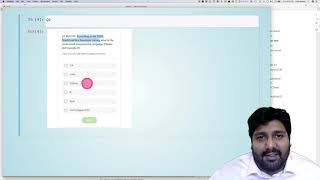
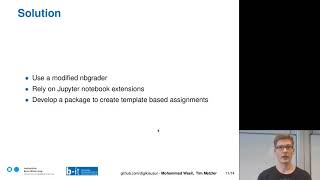
hello and welcome to our presentation about electronic examination using jupyter notebook with jupiter tab and envy grader i am tim metzler and together with my colleague mohamed raziel we will present this talk we both work as research associates in the e-assessment project at university volley so the first question you might ask yourself is why do you want to do electronic exams with jupyter notebook so first of all since we're computer science faculty we want students to be able to use the same tools during the semester and during the exam then we want to be able to grade from everywhere so professors shouldn't have to carry a lot of paper around we want multiple graders to be able to grade simultaneously we want to take advantage of autograding especially like for simple math questions where you're just checking a value and all in all we want to decrease the amount of paper used so my colleague mohamed wazir will now talk about the history of our project in the infrastructure requirements thank you tim for the introductions let's continue with our story of conducted electronic exam in our university we have been using jupiter notebook since 2012 it was known as ipython notebook back then we started using usb sticks where the exam was distributed too then we booted the pc using the usb sticks with a restricted environment as the number of students increase in 2018 we switch to a centralized system where we run jupiter hub on a single machines and students log into that machine however in 2019 not only did the number of courses increase but also the number of students rise sharply we decided to switch to a more scalable system by installing jupiter hub on kubernetes where we can always spin up more nodes if required let's start with the requirement of the infrastructure and environment first we need servers which support multigraders and classes we need isolation of the environment and then we need servers where the configuration can be dynamically updated and lastly we need servers which can handle multiple exams simultaneously let's continue with our infrastructure on the left side we have grading server where the instructors grader professors can create collect and grade assignments and they are released to a shared directory and on the right side we have kubernetes cluster where the exam and assignment servers are installed we use ldap to authenticate the users the difference between them is that the exam server is only accessible from pool rooms and laptop tools while the assignment server is accessible from outside university network furthermore the exam users will be scheduled to exam nodes while the assignment users are scheduled to assignment nodes on the grading server instructors can have access to multiple courses via jupiter hub services the assignments are then released to an exchange directory here on the student surface we mount the release assignments home directories and database this mounting process happens via jupiterhub's ownerhood the database is nothing but lists of registered students which we get from examination surface the most important part here is that we only mount houses if they are registered and one of the advantages of our infrastructure is dynamic reconfiguration meaning that the jupiter hub men can dynamically update the user resources such as cpu ram according to the courses and we can easily change the courses we could also mount extra volumes to the user container such as helpers or shared data sets those updates we can do without interrupting the servers that's it from the infrastructure site tim will continue with the front end thank you for presenting the infrastructure i will continue with the front end and the grading software so um from the grading software point of view an examination process consists of three steps so a teacher has to create an exam students have to do it and finally a teacher has to grade the exam so the requirements we got from our teachers and professors for creating exams and grading them whether they wanted to have more cell types like multiple choice cells they wanted to be able to reuse tasks and templates to quickly build new assignments and exams they wanted to be able to view the submission one question at a time instead of always seeing the whole submission and export the grades from ambi grader or the grading system into our learning management system on the other hand students are mostly interested in ease of use so for this they want an integrated help might be highlighted answer cells they also want accountability so instead of signing the electronic exam we hash the exam in the end and let students sign this hash code this serves also the purpose that we can prove that the exam has not been tampered with after submission and they can prove the same then we actually want to have a restricted notebook view to avoid unwanted behavior like adding and deleting cells or notebooks because a student actually managed to delete the notebook before submitting for one exam and we want to restrict the kernel to have more control over what students can execute for example to block javascript or jump no code now our solutions for that is to rely heavily on our nb greater fork use jupyter extensions like server extensions and front-end extensions and we're currently developing a package to create template-based assignments which is called nv assignment but all of this dry theories of course is relatively boring if you don't see a demo so let's start with that so we start by looking at the teacher mode and creating our exam so we click here on manage exercises to get to our tool and the assignment i will explain the menu points as we go along and we will start with templates the template basically defines the base format of the exercise i already created one exam template let's look into it and we can see we have here a menu which lets us add cells like footer group info header student info we already have a header cell here student info and a footer and what you might notice is that we have the two words course and semester enclosed in double curly braces these are variables which can later on be replaced when creating our exercise so that's it from the template let's continue with the tasks the next thing we need to do is create some tasks we click on manage tasks then we have task pool so task force are basically collections of tasks about the same topic i already created one for the jupiter account it tells us that it has two tasks if i click on that we see it as the task color and sum of squares which both consist of two questions and i was 10 points and 15 points let's look at the task color so we again get in menu bar but we have a different set of options we have add question where we have auto credit code manual free text multiple choice and single choice here this one has a single choice cell and a multiple choice cell these are really easy to edit you just click on edit cell add a new list item like orange well we already had orange and that's it you select the correct answer and this will be saved for autograding data now after creating our tasks and templates we can create an exercise i already created an assignment using nvgrader and for this we will create an exercise sheet which is basically just a single jupiter notebook which we will call demo exam first thing we do is we choose our template from before and we fill in the variables so let's call the course jupiter.com and let's call the semester winter 2020 next we choose our tasks from the jupiter con task pool we take both of them add them and generate the exercise we can see the variables have been replaced and all the tasks are in here now after we generated our exercise the last step is to go back to ambigrader to the form grader tab generate our assignment and release it to the student next we will look at the view of the student now we see the view of the student after logging in we can already see that some buttons are gone for creating new notebooks or deleting files next the student selects the assignments tab fetches the exam and opens it we can see that the student is greeted with a very restricted notebook view where most of the buttons are gone and when we scroll down we see that all the cells where students should put their answer in are marked with a big blue bar and code cells down here have a run button while markdown cells have an edit and preview button to switch between edit and preview mode they can also not edit any cells which they shouldn't so let's assume the student is done and submits the exam so they click on submit and are greeted with their timestamp and the hashcode which we explained earlier now the student would write down the hashcode and sign it to make sure that they acknowledge that this is the great cash code now let's look at grading the exam so now we're back at the teachers view and we select the form grader tab collect our submissions auto-grade them and then finally we go to the grading view and our new view is the task view where you can see that instead of looking at the whole notebook you can look at each task on its own so let's look at color a we have one submission for that and we see the student chose the correct answer all the wrong answers are marked with false and the correct one is marked in green with correct now let's assume we're done with all the grading then we would want to export the grades to our learning management system so we click on this and we can export it in a csv format on an assignment notebook or task level let's do it on an assignment level we open it and we see the student got 6.6 points in total after showing you the current state of our grading software and architecture let's talk about the future work we're planning to do we want to make the whole software a bit more modular so other people can adjust it to their needs we want to make more question types autogradable such as short answer grading because nlp is actually a big part of our research here at the university and we want to be able to do randomized exams which we already do but haven't yet found a nice way of integrating it into the software thank you for your attention and if you have any further questions don't hesitate to contact us or visit our github under digiclosework thank you
Original Description
Brief Summary
The use of Jupyter Notebook in teaching is common place, but not during exams. Exams should be constructively aligned with assignments. We tackle this problem by deploying a scalable and reconfigurable JupyterHub with nbgrader. We take into consideration the requirements for students, instructors and sysadmins and present our solutions for conducting exams for large groups of students.
Outline
We deploy JupyterHub on two different servers: a grading server that is used for managing assigments with nbgrader, serves as a NFS server for exchange and student home directories, and supports multiple classes and graders; and an exam server that runs on Kubernetes, deployed using Zero to JupyterHub (Z2JH), and is used by students during the exam. Our Kubernetes cluster runs locally on the OpenStack infrastructure of our department and is deployed using Kubespray.
Our setup comes with the following advantages:
Easy to override the default singleuser server configuration such as its image and resources without having to do helm upgrade.
We only mount the nbgrader exchange directory to the container of students who are registered for the courses.
Unlike the nbgrader inbound directory which is mounted to all users, we create a personalized inbound directory for each of the registered users. This prevents users from sharing files via the exchange directory.
It is possible to conduct multiple exams simultaneously on the same hub.
Additonally to adapting the JupyterHub for exams, we also customize the Jupyter Notebook using nbextensions. On the student side we restrict the notebook to prevent students from deleting and adding cells or notebooks. A customizable IPython kernel is used to assure students can only use specific imports. To assert that the exam has not been tampered with after submission, we generate a hashcode of the notebook and let the students sign a sheet containing the hashcode.
For grading the exams we use nbgrader. To give instructors more opti
Watch on YouTube ↗
(saves to browser)
Sign in to unlock AI tutor explanation · ⚡30
Playlist
Uploads from JupyterCon · JupyterCon · 47 of 60
1
 2
2
 3
3
 4
4
 5
5
 6
6
 7
7
 8
8
 9
9
 10
10
 11
11
 12
12
 13
13
 14
14
 15
15
 16
16
 17
17
 18
18
 19
19
 20
20
 21
21
 22
22
 23
23
 24
24
 25
25
 26
26
 27
27
 28
28
 29
29
 30
30
 31
31
 32
32
 33
33
 34
34
 35
35
 36
36
 37
37
 38
38
 39
39
 40
40
 41
41
 42
42
 43
43
 44
44
 45
45
 46
46
 ▶
▶
 48
48
 49
49
 50
50
 51
51
 52
52
 53
53
 54
54
 55
55
 56
56
 57
57
 58
58
 59
59
 60
60

Interview Joshua Patterson NVIDIA
JupyterCon
Dave Stuart - Jupyter as an Enterprise “Do It Yourself” (DIY) Analytic Platform | JupyterCon 2020
JupyterCon
Jeffrey Mew - Supercharge your Data Science workflow | JupyterCon 2020
JupyterCon
Michelle Ufford- Supercharging SQL Users with Jupyter Notebooks | JupyterCon 2020
JupyterCon
Alan Yu - What we learned from introducing Jupyter Notebooks to the SQL community | JupyterCon 2020
JupyterCon
Chris Holdgraf- 2i2c: sustaining open source through hosted Jupyter infrastructure | JupyterCon 2020
JupyterCon
Yiwen Li - Intro to Elyra - an AI centric extension for JupyterLab | JupyterCon 2020
JupyterCon
Luciano Resende - What's new on Elyra - A set of AI centric JupyterLab extensions | JupyterCon 2020
JupyterCon
Alan Chin - Explore and Extend AI Pipeline Runtimes with Elyra and JupyterLab | JupyterCon 2020
JupyterCon
Eduardo Blancas- Streamline your Data Science projects with Ploomber | JupyterCon 2020
JupyterCon
Thorin Tabor - Democratizing the accessibility of computational workflows | JupyterCon 2020
JupyterCon
Simon Willison- Using Datasette with Jupyter to publish your data | JupyterCon 2020
JupyterCon
Brendan O'Brien - Using Qri (“query”) to fetch, query, combine and publish datasets.|JupyterCon 2020
JupyterCon
Georgiana Dolocan - Putting the JupyterHub puzzle pieces together | JupyterCon 2020
JupyterCon
Yuvi Panda- Running nonjupyter applications on JupyterHub with jupyter-server-proxy| JupyterCon 2020
JupyterCon
Richard Wagner- The Streetwise Guide to JupyterHub Security | JupyterCon 2020
JupyterCon
TamNguyen- Handling Custom Jupyter Data Sources | JupyterCon 2020
JupyterCon
Immanuel Bayer- ipyannotator - the infinitely hackable annotation framework | JupyterCon 2020
JupyterCon
Rebecca Kelly- A shared Python, R and Q Jupyter Notebook - A Quant Sandbox Dream |JupyterCon 2020
JupyterCon
Itay Dafna - Leap of faith: Transitioning from Excel to Jupyter-based applications | JupyterCon 2020
JupyterCon
Damián Avila - Using the Jupyterverse to power MADS | JupyterCon 2020
JupyterCon
Chiin Rui Tan- From Zero to Hero | JupyterCon 2020
JupyterCon
Firas Moosvi- Teaching an Active Learning class with Jupyter Book| JupyterCon 2020
JupyterCon
Daniel Mietchen- Jupyter in the Wikimedia ecosystem | JupyterCon 2020
JupyterCon
Qiusheng Wu- How Jupyter and geemap enable interactive mapping and analysis | JupyterCon 2020
JupyterCon
Stephanie Juneau- Jupyterenabled astrophysical analysis for researchers and students|JupyterCon 2020
JupyterCon
Denton Gentry- The Care and Feeding of JupyterHub for Climate Solution Models| JupyterCon 2020
JupyterCon
Tingkai Liu- FlyBrainLab: Interactive Computing in the Connectomic/Synaptomic Era | JupyterCon 2020
JupyterCon
Kunal Bhalla- A Notebook Style Guide| JupyterCon 2020
JupyterCon
Julia Wagemann - How to avoid 'Death by Jupyter Notebooks' | JupyterCon 2020
JupyterCon
David Pugh - Best practices for managing Jupyter-based data science | JupyterCon 2020
JupyterCon
Karla Spuldaro - Debugging notebooks and python scripts in JupyterLab | JupyterCon 2020
JupyterCon
Shreyas Dalia - assert browserTest == True # Frontend Testing JupyterLab | JupyterCon 2020
JupyterCon
Chris Holdgraf - The new Jupyter Book stack | JupyterCon 2020
JupyterCon
Hamel Husain - Fastpages - A new, open source Jupyter notebook blogging system | JupyterCon 2020
JupyterCon
Marc Wouts - Jupytext: Jupyter Notebooks as Markdown Documents | JupyterCon 2020
JupyterCon
Sheeba Samuel- ProvBook |JupyterCon 2020
JupyterCon
Philipp Rudiger - To Jupyter and back again | JupyterCon 2020
JupyterCon
Jacob Tomlinson - What is my GPU doing? | JupyterCon 2020
JupyterCon
Afshin Darian - A visual debugger in Jupyter | JupyterCon 2020
JupyterCon
Eric Charles - Jupyter Real Time Collaboration| JupyterCon 2020
JupyterCon
Devin Robison - Optimizing model performance | JupyterCon 2020
JupyterCon
Junhua zhao - PayPal Notebooks: ML & Data Science experience | JupyterCon 2020
JupyterCon
April Wang - Redesigning Notebooks for Better Collaboration | JupyterCon 2020
JupyterCon
Bryan Weber - Distributing and Collecting Jupyter Notebooks for Manual Grading| JupyterCon 2020
JupyterCon
Georgiana Dolocan - The Littlest JupyterHub distribution | JupyterCon 2020
JupyterCon
Tim Metzler - Electronic Examination using Jupyter Notebook | JupyterCon 2020
JupyterCon
Blaine Mooers - Why develop a snippet library for Jupyter in your subject domain? | JupyterCon 2020
JupyterCon
Ryan Abernathey - Cloud Native Repositories for Big Scientific Data | JupyterCon 2020
JupyterCon
Tanya Rai - Introducing Bento: Jupyter Notebooks @ Facebook | JupyterCon 2020
JupyterCon
Kenton McHenry - From Papers to Notebooks | JupyterCon 2020
JupyterCon
Ryan Herr - After model.fit, before you deploy| JupyterCon 2020
JupyterCon
Ana Ruvalcaba - Community building is a sustainability strategy | JupyterCon 2020
JupyterCon
Martin Renou - Xeus: an ecosystem of Jupyter kernels | JupyterCon 2020
JupyterCon
Michael Wilson - Teaching teenagers to understand Dark Energy | JupyterCon 2020
JupyterCon
Davide De Marchi - Voilà dashboards for policy support | JupyterCon 2020
JupyterCon
Marcos Lopez Caniego - ESASky's JupyterLab widget| JupyterCon 2020
JupyterCon
Praveen Kanamarlapud - Kernel Life Cycle Management | JupyterCon 2020
JupyterCon
Aaron Bray - Pulse Physiology Engine | JupyterCon 2020
JupyterCon
Aaron Watters - Using WebGL2 transform/feedback in Jupyter widgets | JupyterCon 2020
JupyterCon
More on: AI Systems Design
View skill →




Related Reads
📰
📰
📰
📰
I just released SKTR, a deterministic architecture review CLI
Dev.to · Pablo Rubianes 🇺🇾
OpenClaw 2026.7.1 broke installs and the Reddit thread was way more useful than the release notes
Dev.to · Lars Winstand
Your monitoring cannot tell broken from off. Mine could not either.
Dev.to AI
AWS Self-Healing Infrastructure: Catching and Fixing Server Crashes with AI Autopilot
Medium · DevOps
🎓
Tutor Explanation

 DeepCamp AI