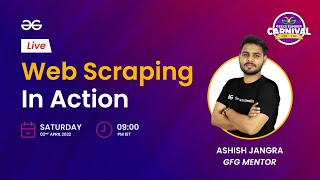
Web Scraping in Action | Geeks Summer Carnival 2022 | GeeksforGeeks
GeeksforGeeks
·
Beginner
·4y ago
Key Takeaways
Web scraping techniques and tools, GeeksforGeeks Summer Carnival 2022, coding activities and webinars
Full Transcript
so i'm hoping i'm clear with the audio do let me know if the audio is and video is clear we are live or not let me check from the screen and let me know okay great so we are live now hello everyone uh ashish this side back again uh with a session on web scrapping in action uh believe me this is going to be the best session that we have created on geek5 on web scrapping because we are going to make an end-to-end project we are going to make a data set scrapping the data set uh scrapping the data from a real-time website and after we are going to create a data set out of it so uh till then do let me know in the chat if the audio and video is clear to you if you are having an issue in that do let me know am i clear to you do let me know and the content the depth of the content depends upon your interaction right the more interact the better it will become means the better you can understand better in the better way i can go uh in depth about the content so let me give you a brief about what are the things we are going to discuss so uh for that purpose i am going to share my screen with you yep so here you can see i have already created a whole data set for you so uh these uh here we are having two codes that we are going to work on uh first of them is about the authors we are going to scrap the data from a live website which is this one codes.twoscript.com this is the website that we are going to use here we are having couple of quotes who has written it the page of the author about page of the author and after that we are having the tags of that particular code we having [Music] multiple quotes like that similarly we can go to the next page and we are here we are again having couple of quotes you can go to the next page here we are having the link and we are having 10 10 such pages like that okay and after that if you go to 11th page we are not having the 11th page so now uh the process is first of all we are going to uh take the home page we are going to discuss uh what is web scrapping how we are going to scrap a whole website after that how we can scrap a particular thing okay if you do not want to scrap the whole website but if you want to scrap only a particular thing or only let's suppose all the codes from a web page so how the things are done if you want to know about the code who has written that code apart from that you want to know about the tags as well how you can use all these things okay so that is something we are going to discuss today and uh do let me know in the chat okay all these okay okay that's really nice so now let's uh without wasting more time let's jump directly into the co so this is the code we are having so yep so this is something we are having codes.scrap which is a website now what i am going to do i am going to use python okay so here you can here you can see as well i have this is one code which is hardly 15 lines of code and this is another code which is hardly 30 lines so in just just 45 lines we are going to create two data sets two csv files one is of author where we are having all the authors id uh means in terms of csv and another one is codes.csv here you can see you are having like the presentation is not exactly how you will get it but to be more specific you will get the output in this way like here you can see the author the link of the author the author id the path so these are this is how the output would look like and the code is hardly as i have told you are 45 to 50 lines okay so that's something we are going to do in this video so let's uh i am going to my desktop and creating a new folder here means a new sorry i have created a new notebook if you are new to this do let me know if i need to zoom it a little button or is that okay for you yes we are going to use beautiful soup for that so i am zooming a little buttons and here i am creating a new folder and here i am renaming it to web scripting and action okay so i am going in this folder i am creating a new notebook so what is this this is just a jupyter notebook jupyter notebook where you can write code in python we are going to use couple of uh i would say libraries to scrap the data okay and one such library is request okay and beautiful so we are going to use two libraries for that so first of all i am using request i am expecting you have a basic understanding about python okay that is the prerequisite so now if i'm executing it like importing rec vests so now it is imported so what i can do i can write requests dot get okay and here i can pass the name of the website from where you want to scrap the data simple all you need to know is just write the uh means where you want the link and the link is this time codes.twoscrape.com okay this is the website from where you want to scrap the data so that's something i am going to use now i am copying it and pasting it here let me close these two so if i am writing the page or giving the page url here make sure to have an active internet connection otherwise it won't work once it is done just execute it and if you are writing if you are okay you need to save it an res which is response because once you send a request you will get a response if i am going for the response i am having response 200 what do you mean by response 200 response 200 means whatever means the response 200 means you have successfully extracted the data the web page from this particular link okay but here you can see you are having nothing you are just having a response so to get the text i can go for dot text and this is the whole html page that it is written now i am again telling you there might be couple of prerequisite for example every website that you can see is made up of a scripting language which is html css okay this is how the website is structured and you can get to know about the whole code as well by right click and click on inspect then this window will open and in this window you can see the html start this is how the website looks in each tag define a couple of things for example this area is written in this div tag then this area then we are having this area as you scroll up and down different kind of structure you will get okay so this is from where you can find either it is a div tag from for example here you can see it is a div tag that you have written okay and this is the whole code like you can go ahead with each page and this is the whole code which is written which is used to write this whole web page now what i'm going to do i have extracted the whole page now the first thing is let's save this page on my local system and see how it looks but we have extracted but because from here you might not understand what do you want to say we are having doctype we are having html which is exactly here html we are having doctype and after that all the things now what i want to know i want to scrap this whole page on my offline system and after that i want to use it so how i can use it that is something i am going to do today uh do now because it is a step-by-step process so once that is executed what i am doing i am opening a page i'm opening a file okay means i'm creating a file named as let's suppose main dot html this is the webpage i'm creating and here inside that i want to open it in write mode i'm creating i am taking a file descriptor for that means it will open a main dot html page in write mode after that i am going to write the whole text that we have extracted from the page okay and after that i am going to close the page so now if i am executing it and if i am going back to the page and if i am opening main.html this is the webpage i am having okay now you might think this is not exactly looking like this page because i have extracted only the html part of it here we might have applied like css right we have obviously applied css that is why we are having different kind of color and orientation and shadow you can see but this is the main code like you can see quotes to scrape which is here login means whatever we have written here and this page is now written here and it is in my local system here you can see the directory the place as well where it is saved okay so now you know how we can scrape the whole page and save it on my local system okay so till now everything is clear if anyone is having any doubt do let me know in the chats okay now let's jump to the next part where we are going to discuss about once the page is scrapped right what should be the next step so the next step is we are going to let's suppose rather than uh scrapping the whole text what if i want to scrap only the quotes right only this code or who is the author of the first code or what are the tags of this if i want to scrap only the specific thing so for that purpose i am going to call user library which is called as beautiful soup okay so i'm calling that library like from bs4 import beautiful soup i'm hoping you have already installed this library if you have not installed it just write pip install bs4 and it will be installed okay and after that you need to execute it so now as you can see i have imported the beautiful soup and in beautiful soup it is uh means this is used to specifically go for web scrapping and extract a particular thing that you want okay so now this is where i am saving the page in offline mode because this is just to tell you how it works now what i will do once i'm having this spawns i am going to create a soup out of it what is soup is just object just an object which will help you to perform certain tasks on the web page that you have extracted or the html page now here i am going to write beautiful soup and here i need to define two things first thing is what you want to take i am going to use res dot text what is res dot text this is the page that you have just extracted right this is the page that you have just extracted i am going to use this and i am going to use a parser for it which is called as html.html dot parser there are different kind of parser you can go for dictionary based or json based to be more specific but i am going to use this paste okay so if i'm writing soup so this is the better presentation of the code that we were having earlier i doctype html you can go to the inspect element and you can see exactly the same thing here okay we having all the tags that we are having the website means through which it is made i am taking the same thing here here now uh once it is done like aditi is having question can we scrap linkedin profile as well linkedin plug-in yes this thing can be done i'll tell you at the end because this uh it might be a little complicated you cannot do it directly using web using a beautiful tube we need to have some other thing like the web drivers and all we are going to discuss about that as well okay so once we are having this hoop this is the better presentation of it and from here if you want to find some specific thing so first of all you need to know where these things are located for example if i want to scrap this this code so what i will do i'll select it and then i'll go to inspect so what you will get if you hover over this code so this is where this particular code is located if you go back a little bit here you can see in this div with the class this with this class means we are having a div if you hover over it so you will get this so in this div you are having this whole code rate now this whole miscode written including the code who has written it and the tags as well so what i will do i'll take this div whose class is code okay if you are not using the class what will happen let me tell you for example there are multiple divs like one device opening here this is also a div this is also another div so there are multiple diffs divs is means what is it basically it's a container where you can add the values now if you don't know about these tags so you need to have a prerequisite to that i am expecting you know these things earlier as well okay because otherwise this is going to be a lengthy lecture i need to give you a brief about each and every tag but basically there are a couple of tag for a specific per for a specific purpose let's suppose if you want to write big text titles then we having a different text for that if you want to add a link you are having different tags for that if you want to make something bold we are having different tags for that okay so similarly div tag is used to write this so what i am going to use i am going to use soup dot find and here i am going to use the div div is something that you want to find which is i would say the tag and in that tag as well i don't want to find just the div because the divs are there are a lot of dips i just want i only want to know about the divs whose class is code because i want to know about this area only right so what i am doing i will do like div and here i will write class underscore should be this here i am defining class underscore because class is by default uh a keyword in python so class under underscore should be there okay if i am executing it so here you can see you are having a specific code if you can match this code with this one like class code and here you can see the word is as well created as just processed to the thing like whatever it is written if you go back and check this is exactly the code which is written and here you can see the code is there after that we are having a span tag where all the things are written then we having another span where it is written by and then we are having the author name right then here the div tag is closing same thing is written here you can see div span where i'm having name of the author then we are having uh buy must be written somewhere okay i'm not sure where it is written but it will be here only so after that we are having div tags we are having change d thoughts thinking and word you can compare it from here change d thought thinking word so we are having all the things extracted like we have extracted this area means one quote all the details of one quote now what should be the next step the next step would be how i can find basically just the code right because in this soup as well like this if i am directly writing so soup dot find of div of code i will get multiple things there are a lot of thing that i still want to clutter out so what i will do now i know if i even if i'm going here in this div tag i'm having a span tag whose class is text right so if i can find that i will have the whole text written so what i will do i will take this i am saving it i am creating a new soup named as sp okay i am creating a new soup named as sp and now if i am executing this soup and printing sp so sp is having only this particular area it is not having the whole web page it is just having the area of one code now from here i need to find couple of things what i want to find i want to find a div a devop let's confirm it i want to find a span tag whose class is text okay so let's find a span tag with i'm also defining class should be text if i'm executing it this is the span i'm having and from here i just want to know about i don't want to take this i just want to take the inner area where the whole text is written so i'm writing dot text if i'm executing it so here you can say in front of you i'm having the code written i can save it in a variable named as code simple no rocket size if i'm executing it here i have extracted the first code that's how easy it is all you need to know is about the tags if you know about the tags you can do it easily clear so i have extracted the first code so what should be the next step including i also want to include who has written it right to know about who has written it first of all we need to find where the author is located and here you can see the author is located in a tag which is called as a small tag where this is where it is starting and this is where it ends in between that we are having the name of the author so i'll find small with the class author we'll find another tag so let's find that out so i'm going to take this with i'm going to take small with the class should be author if i'm executing it here you can see i'm having the name of the author as well so let's save it with the as author now these are the two things i am having now after executing this code i am having the code of the author and when he has written it means who has written that code what else we can scrap can we scrap these tags yes we can scrap these tags as well how to do that so ah to find the tags here you can see we are having four tags we are having a anchor tag whose class is stack and inside that i am having written i have written it but here the problem is we are having a problem right we are having four tags four anchor tags with the same class tag there are a lot of tags like tag is written here as well we are extracting the tag but uh so watch carefully we are having four tags with the same name so what i can do i can go for sp dot find all if i am just writing fine and passing anchor tag with the class is equals to tag you will get only the first one but what if i want to know about all of such tags so i will write find underscore all simple if i am writing if i am find underscore all i will get a whole list i will get a list of all the tags that are there which satisfies this condition once you are having that you need to go for each tag like for tags in and if i'm printing tag so these are all the tags we are having now in this tag what you want you want the text written in that tag so you will write text dot text and if you execute it here you are having all these four tags with you right specifically for this code we are going to automate the whole process really soon where we can scrap the data from the whole web page the whole page right so now let's jump to the next part where we are going to take this take these tags okay so i am i am writing like tag here and i am also creating a list named as tags okay so i am writing tag so that i will append all the tags here so writing tags dot append and once everything is done i will print the text right so this is the code that we are having i am writing it here simple no rocket science so far so if i'm even if i'm removing it this is something i'm having if i'm executing it i'm having change these are the four quotes i am having in author and author author and quote i am having in quote i am having the code written author i'm having who has written it and in tags i'm having all the tags for that particular code okay simple now the next step is like this is where the fun begins now so far what we have done we have discussed about how the whole process works we have taken a website we are scrapping couple of things from it now what we will do this thing we have done it just for one code what if i can automate this process to do it for all the codes let's find out so to do that what i will do this is something i have done for one code okay so far like if i am writing it here this is something i have done for one code and if i am printing these things like if i am printing the code and if i am printing the author so here you can see this the code this is the author and these are the tags now what i want i want the same for all the web pages so what i do rather than going for sb.find because here we are finding just the first div whose class is code but if we watch closely so we are having a lot such quotes like here you can see this is first code class then next we are having the div with class code again next class code next class code so rather than going for div dot find we will go for something like div dot find all simple right so now i'm going to automate this process here so what i am doing i am going for find underscore all if i am executing it i am having all the quotes written if i am checking the length of it so there are total of 10 quotes written on this page okay so what i will do i am going for a for loop as i have done in this case and here i can you can see how i will do it for sp in this and if i am printing sp which is soup so this is the first first one where you can see how it works so if i'm going for so these are all the su basically right and if i am processing like dot text here so here you can see first code quote written by albert einstein about these are the tax second quote return tax third quarter and tax but i want in a structured way right so to get it in a structured way what i will get but i will do i'll pass means i will find specific things from this soup object so what i will do first of all now i know i am going through each and every object so what i will do i first of all i will find the code where the code is code is at span tag simple so i'm taking this copying it pasting it here and now if i'm executing it here you can see here's the first code means even if i am printing something else so here you can see here is the first code here is the second code third code four code now just compare it from the one like a woman is like a tea bag okay let's try it a woman is like a tea bag here we are having right the day without sunshine is like you know night and here you can see you are having the same thing we have extracted so far okay things are pretty easy all you need to know is the process how means what you want to extract and how you can extract it this is what is this this will give you the title now this is where the fun begin this is not the title this is the uh quote okay so i'm saving this in a code variable now let's let's see what else we can find out we can also find the author let's try it if i'm executing it first albert einstein then jk rowling's then einstein again let's find out first einstein rolling jake and einstein vada we have done that as well great so what should be the next step i'm saving it here i have saved an encode here i am saving it in author okay simple we have now we have extracted the author as well what should be the next step what can be the next step if i'm printing sp here you can see we are also something called as an author id that's something we are going to extract as we proceed further not now so here you can see i am having the author i am having the code so what should be the next step the next step is obviously about how we can extract the codes now to do that i am going to use the same approach okay and the approach is i will go for for tag in sp because this is the soup is now for each and every code the div where i'm having all the things so i'm going to pass find all but i want to find where the tags are so i will go for anchor tags whose class is tag simple i'll go through it and here also i uh here i will also create a list and in that particular list and i will write tags dot append and what i will append here i will append tag dot text same thing that i have written here simple so if i am printing tags here directly so here you can see these are all the tags the first is having changed the thought thinking word just check it out change deep thought thinking word abilities choices let's find out abilities and choices well done what else do we want we are extracting all the things line by line right so once we are having these things with us so let's print all the things like rather than printing in this manner we can also write like with a comma dot join this is just another method to present it like rather than performing it in a list and performing it in a string here you can see change comma here i'm adding it in a comma separated in values minus csv format why because we are going to at the end make a data set out of it i'll tell you at the end how the whole process works so i am taking it and saving it in something like tax simple no rocket size so if i am executing it okay now just see the fun what is happening here so if i am printing means i am not going to print the code because that is going to be huge i am just going to print about the author the tags if you can see albert einstein these are the tags jk rowling these are the tags and here you can compare it from here this is exactly what i want to extract simple and now what i will do i am saving it in something like a data okay so if i am saving it like data in this particular i am writing data dot append i'm just telling you how the data structure how the whole data looks okay how we can create the whole data set out of it i'm going to write the tags the author and obviously the code if i am executing it and printing the data here you can see i am having the whole data with you if i am going for data of zero here you can see the code who has written it what are the tags let us go to the next code code who has written is the tags this is how simple it is we have created a whole data set out of it right now what is the problem so the problem is we have just done it j for one page right now let's go to one step ahead where we are going to take the same thing but for all the pages but we are having 10 pages or even thousands you can do it but unfortunately we are just having 10 so let's grab the data from those 10 pages so let's uh let me share the screen first so here you can see uh we are having code now in this data of i uh date of 1 means if i am talking about this data here i am having the data of first 10 quotes simple now the problem is when you go to the next page the link will change if you go to the next page here you can see the link is now undersco has a means backslash page backslash 2 this is the link now right so the link is now changed earlier this is the link which is fixed but now this time i need to change the link as well so i am going to automating this process here okay so i am going to call it as in links so this is how the link of first page looks like means basically this was the link but now if i am going to the next space the structure is now changed the structure is now slash base slash two okay and similarly if i go to the next page how it looks okay slash page slash three okay what should be the next page slash page slash four now what i need to do i need to make a process that can automate this task because we know how to do it right so the next thing is i will take it this is the master uh okay so i'm going for a for loop okay for pages in range 2 to uh 11 by 2 to 11 i'll tell you in just a second just give me some time if i'm printing uh pages uh range sorry spelling mistake so here you can see page 2 to 10 because we are having pages starting from 2 and go up to 10 we are not having any page after 10 right we are having the pages but we are not having the codes at paste 10 we are having this and after that you can see we are having no next page so i will start from 2 and go up to 10 okay because this is an automatic process that we want to make so how i can make the links out of it this is going to be interesting part again as means the lecture is going so i will take this now rather than going the num going with the number i need to add this number okay and i will okay so far let me write this so that you will have a better understanding what i want to do so if i am printing it so this is the link that i am having this should be the link if i am copying this link going to the next page pasting it and executing it okay pasting it and executing it after removing this page this is something that you will have okay so here you can see this is the page that i am means that i am in but the problem is this is another data type this is another data type you could directly click on it it won't open so what i will do i will convert this number to a string and now i will add it now if i am executing it here i am having the links if you go to any page the page is opening now i am hoping you are having a clear idea in your mind how we are manipulating the things how we are managing our means molding the things in such a way that it will work for you okay so now what i am doing like it should be page to be more specific if i'm doing it i'm having the links with you so here what you can do you can treat it like a link okay if i'm printing the link after removing it so here you can see these are all the links now what i will do i will go to each page and i will pass this link through request dot get i am hoping you are having a clear understanding now what i am doing i am going through each page i am getting the request out of it and request dot text i am means once means what the process will be first of all it will go to this link once it will go to this link it will find it will scrap the whole data from that page and i am converting it back to a text okay and i am creating a soup out of it simple soup it is equals to beautiful soup of this with what html type of parser okay so i'm writing parser dot stml either it is password or html or html dot parser okay it should be the reverse of it so i am writing html dot parser okay once you have extracted the whole page so the next step would be you can automate this whole thing using this simple because then what will happen you will once you have extracted the whole page so what i am doing i will go to like to first of all i need to structure it okay so what this for loop is doing this for loop is going to each and every page from page number 2 to page number 10. this for loop will go and find each code in that particular for loop simple and this for loop is used to find the tags because there are couple of uh codes whose tags are where we are having one tag there are a couple of them where we having six or seven of them there are a couple of them where we having just one so i need to go through one for one more for loop to get the tags simple no rocket size now let's do one thing let's see if the code is working or not because here we are having total of nine pages where i need to go and find the whole data simple so let's execute it but before executing it directly i'm importing one more library which is tqdm from tqdm importing dq dm what is this tqdm this is just a better version of in presentation okay so if i can pass this the whole range in tqdm it will give you presentation okay like the progress bar if i am executing it now here you can see it is scrapping first page now second page now third page now fourth page now fifth page now sixth page seventh page eighth page ninth page and done now where i'm having the data i'm having the whole data in this data list so let's check it out print data okay here i'm having the data let me check the length of it how much data i have extracted so far i have extracted total 100 quotes because 10 quotes per page simple mathematical computation we are having total of how many pages 10 pages in each code how many uh means in each page we are having how many codes 10 codes 10 multiply by 10 total of 100 code should be there and we are having 100 codes on our list what should this be the next step the next step would be how we can take this and make a whole data set out of it simple process so if you enjoy the session so far make sure to like it subscribe to the channel if you want more such session you can comment down below and we are ready to give whatever we want okay so now you can see uh in data we are having 100 codes you can go for light suppose 99th code and it should be written by george r r martin okay so let's check let's go to 10th page and here you can see a mind needs a book as a word needs a sorry so here you can see george r r martin written by it so here you can see i'm having the whole data set with me here so the next step is as i've told you i will create i will convert this data set into some sort of presentation or a csv format okay so what i am doing i am importing one more library for that which is called as pandas okay pandas as pd simple executed it let's go down and here you can see what i will do i will create a data frame out of it pd dot data frame this will give you a much better presentation how it how the whole process is working so here i am having the data and here means here you can you can treat it like the rows and columns and here i am defining the name of the columns so the first column i am having at the first index i am having code so i am trading the name of the column as code the next should be the author the next should be the text simple i'm saving it in a data frame so now if i'm executing and printing the data frame here you can see in front of you the whole data set hundred rows three columns this is the code this is the person who has written it and these are the tags and this is why i have converted this thing earlier to a string format only because otherwise i need to pass a whole list at this particular location because now i am having in the comma separated values format or comma separation so directly you can change it and separate to uh the number of tags we are having clear no rocket size if anyone is having any questions so far do let me know in the chats yes anyone do let me know in the chats if anyone is having any question or if even if you are enjoying the session do let me know in the chats or what else you want to extract from it do let me know as well i'll i'll tell you how to do that okay so till now what we are extracting we are just extracting the codes okay so far we are extracting the codes we are having one more thing that you can extract i'm if i'm going to each soup so here you can see each author is having their id's as well like if you go back to any page okay so here you can see if i am going to about of jk rowling's so here you can see we are having the whole text the author about as well so what you can do you can find this id and link as well where it is located let's go back and check that out that is also going to be an interesting part let's uh see the inspect part of it so here you can see we are having anchor tag and here is the author id slash author slash jk rowlings what do you mean by that means if you copy this and go to the add the prerequisite link like code.2scrap.com author slash jk rowling will land you to this page so this is the author id it is at the anchor tag so now let's find that as well because why not so here you can see if you go to each sp here we are having the anchor tag and here at href we are having the author id written so what i will do i will go for sp dot i will go to find anchor tag and this is the anchor tag i am having and because i want this id if i am going for that dot text it will print about but i don't want that i want the href so i will write dot get and here write href whatever we are we have written on the reference link and executed here i am having the code the author id simple so what i can do i can add the prerequisite link what is the prerequisite link this is the prerequisite means the pre-link basically to be more specific so this is the p link if i'm adding this to you and execute it and here you can see i'm having double slash that cannot be there if i'm executing it directly this is something i'm getting if i'm printing it this is the link that i'm having if i click on this um i just landed to the page that means this author id is working so what i will do i can uh either i can take the whole link or i can take the author id okay i'm taking the author id this time okay if i'm executing it i'm having author id so i'm writing author underscore id as well i'm adding one more thing into the data set which is author id where i need to add it i need to add it here i'm adding author id as well so first thing should be author and here i'm also writing author underscore id simple so let's go for the best and let's execute it here you can see it is executing okay first of all i need to stop the execution and run the whole program okay so once that is done now earlier we were having three columns now we are having two columns one we are having named as author okay sorry it should be author underscore id simple we are having one more like that now if i'm executing it and converting a data frame and executing it here you can see i'm also having okay author id and tags we have interchanged some of the things if i'm not wrong author id and tags are here so author id finding a href which represent to the author id okay so i i think we are execute is still executing it here let me zoom a little bit and let me check what is happening so in the data first of all okay here i am i have added just the authors i have not added author id here so this is the problem because here i have for the first page i am finding it but for the first page i am not finding the author id so here i need to find the author id here as well and after that i need to define here author underscore id so now if i'm executing it obviously that will be easy so first of all i am going to the first page extracting the data why because first page is having a different link and after that we can automate the process slash base slash one slash two slash three slash four and slow slash n now i am doing the same for this after that i will print the whole data and after that i will convert into a data frame okay and this data frame you can again save as a csv file as well okay now you can see page 8 is done page 9 is done let me remove it and here you can see in the data frame we are having the author id of each author as well let's find out if it is working or not let let's copy any of the author id and let's remove this author id paste it here executed and here we land to this page simple no rocket size now what should be the next step the next step is i'm saving this data frame dot 2 underscore csv i am saving it named as let's suppose quotes quotes dot csv and i am writing index is equal to false why because sometimes these indexes that are written uh are also written on the csv file so now if i'm executing it it is done okay this is the first code this is the first part of the session that we have done okay yes we are also having more to do what is that let me create and here you can see codes.csv is just created main.html is also there now i'm creating a new file named as author okay and this time i am going to scrap the data from all the authors so far right so like this is this is the data first author similarly we might have multiple authors so what i will do i will go to each and every page and scrap the data from there simple so this might not be simple but now it will be simple so first of all i'm going to use the important libraries and after that rather than extracting the data directly from the website i will take the data set okay i am writing pd dot read underscore csv file the csv is called is called as codes dot csv i am saving it in a data frame and if i am going for df dot head this is the data set that we are having from this data set i just want the author name and author id these are the two things that i want so what i will do i am deleting i am deleting two columns and after that i'll because this will help you to make a whole data set structure okay the output will look something like this okay i'll give you this link as well how to structure i what i want to do i will create a author folder in that author i will create a text file for each author for example if i go for albert einstein i am having the whole data written for albert einstein okay the text file this is something i want to do now okay i will complete in just five minutes okay so here what i am doing i am taking the data frame i remove the code column and i'll remove from the data frame i removed code column and i'll also remove the tags volume because that's not of our use after removing it if i'm printing the data frame these are the two things that i'm having simple now what i will do i'll go to each author okay i'll find the name of it and after that i'll find the link of it after that i'll go to the website and scrap the whole data simple so what i am doing i am converting it into values which is again the list format of it here you can see at index 0 i am having the name the author id name author id name author id now one more thing i need to do can anyone tell me what what is that thing that i want to do the thing is there might be couple of authors who have written more than one code right like albert einstein written this code and this code as well i will go to the page and extract the data once only so to do that what i i will do i take the data frame and i will remove the duplicates earlier i am having 100 rows to drop underscore duplicates if i am executing it where is that so it is here so if i'm writing drop dot duplicates here you can see i'm having let me check the length of it now i'm having just 50 uh 50 unique authors means there are 50 codes which are written by multiple authors so what i'll write i will save it in the original data frame and now we'll convert it into values because now we are having just 50 pages to go through and find the answer now to do that what i now i am doing now i will go through for i would say page in df of values and if i am printing the page this is something that you are getting this is the best approach that i have told you like to print the value first of all just print each and every value and see if you are getting what you want to know or not okay if you're getting what you want to know then you then only proceed further with it okay so here you can see i'm having page if i'm going for page of zero i'll get the name of the author if i'm going for page of one i'm getting the author id so i am writing author so this is the name of the author and author underscore id is equals to page of one and this should be page of zero okay if i am printing uh the author and sorry and author id so this is how it looks okay this is not how it should look but the spelling should be same so here you can see author name and author id is printed now now in place of this i need to add the means the prerequisite which looks something like this so that we will have the link where we need to go simple so i'm adding the link here and after that i am executing it so this is albert einstein this is the link where you need to go to scrap the values simple now here i will send the request to this page at this author id okay rather than calling it author id like you can make couple of changes in that as well so this is author id and the page or i would say link is equals to this okay plus page id this is going to be the link okay so author id is this and link is this so here you can see name author id and link now what should be the next step the next step is i will go to each link i will go to reach link i will write request dot get simple request dot get i'll go to the link and find the response from it once response and find what i will do i will go and create a beautiful soup of it so i am writing soup is equals to beautiful soup and here i will write my response dot text the website that we are getting html dot parser and once it is done i'll print mice i print the soup and after that i'm breaking it so that it won't go to all the pages and scrap it first of all i just want to check if it is scrapping or not so here you can see it has extracted the data from which author so the author name is here you can see albert einstein okay this is the author data that it has extracted now as you know i don't want to extract the whole data here you can see this is also here i just want to extract the main things which are i will go to inspect element i will find where the whole text is written so here you can see in this div whose class is author id i just want to scrap the data from there go back soup dot get the div whose class is equals to author details now for executing it after writing the print only so here you can see uh dot okay it is soup dot find should be there okay request dot get soup dot find so here you can see you are having the whole detail now the so detail you can directly convert into text and this is how the output will look like albert einstein this is when it born and this is description of first author how i can do the same now what i will do this is the text that i have extracted now what i want to do i will take this text and save it in a folder okay so what i am doing i am going back i am creating a new folder here and i am calling the name i am renaming it yes author auth or simple i will go back here to this and i am opening a new file okay what should be the name of the file the name of the file should be albert einstein dot stml or dot txt so if i am printing author what i will get i will get just albert einstein i also want to write dot txt at the end so this is the name of the file i want to open it in write mode i am creating a file descriptor for it simple after that i will write the text in it what should be the text the text is txt this is the text that we have extracted after that i will close the file fd dot close simple but the problem here is if i'm executing it directly it has extracted the page named as albert einstein.txt if you go inside it here is the data but the problem is it has extracted the data but not i want to extract it in this folder author so ever right i write the prerequisite means the preset in this as well as author slash means inside the author folder named as albert einstein whatever author name dot ext now for executing it going back going in the author albert einstein is here now let's delete it and now let's do the same for all the things and let's see how it works and here i'm writing tqdm as well so can i can see so that i can see how the process works okay so i have extracted it so now let's see the one if it is executing successfully or not and here you can see it is going to each and every author's page and extracting the data simple no rocket science if you go back and during the progress and as well here you can see we are having one two three four five thing let's go and see about jk rowling's okay that's the whole author page or the data of jk rowling's right and here you can see we are having more such authors clear no rocket science so this is how those step works all you need to know is about the fundamentals how the things are working you need to know how html tags are written how the basic tags are in in web development how we can scrap the data you know about just the very basic commands if you know about find and find all you are sorted you are literally sorted you know how to scrap anything from it there are a couple of uh means uh i am taking the question from aditya now can we scrape linkedin profile as well and linkedin require login same case there might be facebook there might be some other platform as well in that case uh directly you cannot do it using beautiful soup directly you cannot do it in that case you might need to use you definitely need to use something called a selenium selenium as well something that works on multiple programming language uh javascript java python are couple of them only selenium works you can use selenium webdriver to do the same things you can give them login credentials and then the things are sorted but these things these things can be done okay but if website is giving you which i would say 95 of websites are open where you can you can practice it means you can try it i won't encourage you to try it but their websites are there where these things can be done there are a couple of website where you can not directly do it for that purpose web drivers are the things where you can do it selenium is one such library which is really easy to do and you can do the same thing here okay so let me take a couple of questions from you okay if anyone is having any questions so far do let me know in the chats okay thanks rahul thanks vikki okay that's nice okay so this is how the whole structure is there and how the data set is created now i am going to tell you from where you can take this data set in the codes okay so uh if you uh want to connect with me we we are having already uh in it is already given in the description where you can uh how you can connect with me on linkedin if you are having any queries do let me know if you want more suggestion do let me know uh in the comments or any profile or wherever you want just like this video if you are here so far because like uh you have enjoyed the session so yes it's not uh as anyone jay so if you came here till this point so you should like the session just subscribe to our channel if you want more such session do let me know and now let me tell you from where you can get the quotes so to get the codes uh like the uh easy option is uh you can search on linkedin because uh now currently i'm not having the access to change the description but it will be changed uh by monday so what you can do you can go for shi janga github okay just uh go to hall and after that you can go to the first link asia geography27 okay you need to go to ashi jangra 27 and here you can go to repositories and here you can see code scrapper clear code scrapper is the repository where you can get it i am i'll try to paste the link as well in the chats okay so link is given in the chat so let's uh means it is already given in the chat so you can go to the link and after that you can get all the thing for example if you want to go about author dot csv here is the csv file of all the authors including their author id path means inside the author folder you have you are having the text file this is the author information which is written in the csv file as well either you can take means either you can go to the text file and scrap the data or you can take the author info directly from here as well okay so that is it from my site today if you are still having a question do let me know in the chats and otherwise this is the end of the session and i'm hoping you have enjoyed it if you enjoyed it make sure to like it and make sure to subscribe our channel and i'll see you next uh means uh someday uh with a new session with the new content take care everyone and uh yeah see ya bye
Original Description
Are you Carnival ready?
Because we have got you covered for one full week of fun-filled coding activities and insightful webinars where you will meet the best of the industry giants.
Not just this, you will also receive hefty discounts on all our courses, get introduced to hundreds of job opportunities and get chances to win exciting rewards!
Enter the carnival here - https://practice.geeksforgeeks.org/summer-carnival-2022
In this event, Ashish (data science mentor @GeeksforGeeks) will discuss the fundamentals of web-scraping and how to scrape any data from almost any website
Connect with Ashish - https://www.linkedin.com/in/ashish-jangra/
#webscraping #code #programming #gsc2020 #Datascience
Playlist
Uploads from GeeksforGeeks · GeeksforGeeks · 27 of 60
1
 2
2
 3
3
 4
4
 5
5
 6
6
 7
7
 8
8
 9
9
 10
10
 11
11
 12
12
 13
13
 14
14
 15
15
 16
16
 17
17
 18
18
 19
19
 20
20
 21
21
 22
22
 23
23
 24
24
 25
25
 26
26
 ▶
▶
 28
28
 29
29
 30
30
 31
31
 32
32
 33
33
 34
34
 35
35
 36
36
 37
37
 38
38
 39
39
 40
40
 41
41
 42
42
 43
43
 44
44
 45
45
 46
46
 47
47
 48
48
 49
49
 50
50
 51
51
 52
52
 53
53
 54
54
 55
55
 56
56
 57
57
 58
58
 59
59
 60
60

How I got into Walmart | Shailesh Sharma
GeeksforGeeks
Upgrade yourself In 29 Days | GeeksforGeeks
GeeksforGeeks
Learn AWS Fundamentals For Free
GeeksforGeeks
Conversation With Young Achievers | Meet the winners of Bi-Wizard Coding Contest | GeeksforGeeks
GeeksforGeeks
Meet The Winners Of Bi-Wizard Coding Contests | GeeksforGeeks
GeeksforGeeks
Interview Prep Strategies | PayPal
GeeksforGeeks
OLX Interview Preparation Strategies | Hukam Singh
GeeksforGeeks
Meet Some More Winners Of Bi-Wizard Coding Contests | GeeksforGeeks
GeeksforGeeks
Live Mock DSA
GeeksforGeeks
Microsoft Azure For Absolute Beginners
GeeksforGeeks
Python for Data Science | Data Science Master Bootcamp | Arpit Jain
GeeksforGeeks
Getting Started with Data Analysis | Data Science Master Bootcamp | Ashish Jangra
GeeksforGeeks
How to prepare theory subjects for SDE interviews | Geeks Summer Carnival 2022
GeeksforGeeks
Get Your Tickets To The Geeks Summer Carnival | GeeksforGeeks
GeeksforGeeks
TED Talk Data Analysis Project | Data Science Master Bootcamp | Ashish Jangra
GeeksforGeeks
How I Secured AIR 9 in GATE'22 | Tushar
GeeksforGeeks
Learn Java Backend Development | Geeks Summer Carnival | GeeksforGeeks
GeeksforGeeks
How to Recognize which Data Structure to use in a question | Geeks Summer Carnival | GeeksforGeeks
GeeksforGeeks
Learn Data Structures and Algorithms | GeeksforGeeks
GeeksforGeeks
Interview experience at Flipkart | GeeksforGeeks
GeeksforGeeks
Lets Prepare for GATE'23 the Right Way | Sakshi Singhal | GeekSummerCarnival
GeeksforGeeks
Highest Paying Jobs in 2022 | Ishan Sharma | Geeks Summer Carnival 2022 | GeeksforGeeks
GeeksforGeeks
Geeks Summer Carnival 2022 | 5th April- 11th April | GeeksforGeeks
GeeksforGeeks
Preparing for SDE interviews | Soham Mukherjee | Geeks Summer Carnival 2022 | GeeksforGeeks
GeeksforGeeks
Full Stack Development with React & Node | Utkarsh Malik | Geeks Summer Carnival | GeeksforGeeks
GeeksforGeeks
Introduction to Open Source and Roadmap to GSOC 2022 | Geeks Summer Carnival 2022 | GeeksforGeeks
GeeksforGeeks
Web Scraping in Action | Geeks Summer Carnival 2022 | GeeksforGeeks
GeeksforGeeks
Getting Hired at BITCS via GfG Job Portal | Get Hired With GeeksforGeeks
GeeksforGeeks
How to build a faster landing Page | Geeks Summer Carnival 2022 | GeeksforGeeks
GeeksforGeeks
Geeks Summer Carnival | 5th To 11th April, 2022 | GeeksforGeeks
GeeksforGeeks
How to get ideas for Startup | Geeks Summer Carnival 2022 | GeeksforGeeks
GeeksforGeeks
Journey from Tier 3 to JusPay | GeeksforGeeks
GeeksforGeeks
Geeks Summer Carnival 2022 | GeeksforGeeks
GeeksforGeeks
Dispelling Myths and Pre conceptions of Programming Languages
GeeksforGeeks
Must Do System Design Questions
GeeksforGeeks
Understanding Sorting Techniques in an hour | Keerti Purswani | Geeks Summer Carnival
GeeksforGeeks
Get Hired at NEC | Job-A-Thon 8
GeeksforGeeks
Journey from Tier 3 college to Microsoft | GeeksforGeeks
GeeksforGeeks
Get Hired with GeeksforGeeks at SuperK | Job A Thon 8
GeeksforGeeks
GeeksforGeeks: Redesigned
GeeksforGeeks
From Tier 3 to cracking multiple interviews | GeeksforGeeks
GeeksforGeeks
Live Mock DSA
GeeksforGeeks
Youtube Data Analysis | Ashish Jangra | GeeksforGeeks
GeeksforGeeks
DSA Self-Paced Course Preview | Sandeep Jain | GeeksforGeeks
GeeksforGeeks
GATE Live Classes | Prepare for GATE CS 2023 | GeeksforGeeks
GeeksforGeeks
Journey from JIIT to Adobe
GeeksforGeeks
Life Is Unfair Ft. Shonty badmash | LIVE Discord Session | A GeeksforGeeks Exclusive
GeeksforGeeks
Interview Experience at Google | Tech Dose
GeeksforGeeks
Live Mock DSA
GeeksforGeeks
Interview Experience @ Amazon | GeeksforGeeks
GeeksforGeeks
My journey through the tech world from India to US | Vidushi | GeeksforGeeks
GeeksforGeeks
Complete Interview Preparation Course | GeeksforGeeks
GeeksforGeeks
Live Mock DSA
GeeksforGeeks
Getting Hired at FiftyFive Technologies | Job-a-thon 9.0
GeeksforGeeks
GFG Karlo, Ho Jayega | GeeksforGeeks ft. Khaleel Ahmed
GeeksforGeeks
How I got job offers from 2 big companies : Arcesium & Microsoft | GeeksforGeeks
GeeksforGeeks
LINUX for Beginners | GFG x Itversity
GeeksforGeeks
My interview experience at Walmart | GeeksforGeeks
GeeksforGeeks
Get Hired at Speckyfox
GeeksforGeeks
Live Mock DSA
GeeksforGeeks
🎓
Tutor Explanation
 DeepCamp AI