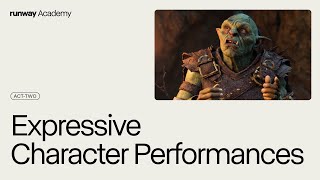
Expressive Character Performances | Runway Academy
Skills:
Image Generation Basics90%
Key Takeaways
Create expressive character performances with Act-Two, a motion capture tool that supports hand and upper body tracking, and learn how to use it for best results in image AI applications.
Full Transcript
Welcome to Runway Academy. Today we're going to create expressive character performances using Act 2. From a generative session, you can access Act 2 from the video tab. Then load in or record your driving performance video in the top slot and add a character image or video in the bottom slot. You'll get the best results out of Act 2 if your driving performance video and your character are facing the same general direction and taking up similar screen space. If you're standing too far away or facing the wrong direction, your results may vary. As a pro tip, you can easily correct your character's pose and eyline by quickly running it through references. Before we generate our first video, let's open up the settings. First, we have our facial expressiveness slider, which lets you dial up or down the expressiveness of your character performance output. Lower values will tame the expressiveness, while higher values will amplify it. The gestures toggle, which is on by default, will capture your body gestures, including your hands, for your character performance. If your character input has visible hands, make sure that your hands are also visible in the driving video to achieve the best results. [Laughter] With Act Two, you now have the power of performance on your side, including more support for animated characters and non-human characters, all with a much higher level of consistency and a much more diverse range of styles than was possible in Act One. We can't wait to see what you make with Act 2. If you need some additional support, make sure to check out the help articles or head over to Discord to see how our creative community is using Act 2. If you need to ask us a question directly, you can always use this button on your dashboard at any time. [Music]
Original Description
Create expressive character performances with Act-Two, our most advanced motion capture yet. Now supporting hand and upper body tracking as well as an even wider variety of characters and styles. Learn how in today's Runway Academy.
0:00 Intro
0:18 How to use Act-Two
0:30 Tips for best results
0:55 Settings
1:32 Outro
—
runwayml.com
academy.runwayml.com
Watch on YouTube ↗
(saves to browser)
Sign in to unlock AI tutor explanation · ⚡30
Playlist
Uploads from Runway · Runway · 32 of 60
1
 2
2
 3
3
 4
4
 5
5
 6
6
 7
7
 8
8
 9
9
 10
10
 11
11
 12
12
 13
13
 14
14
 15
15
 16
16
 17
17
 18
18
 19
19
 20
20
 21
21
 22
22
 23
23
 24
24
 25
25
 26
26
 27
27
 28
28
 29
29
 30
30
 31
31
 ▶
▶
 33
33
 34
34
 35
35
 36
36
 37
37
 38
38
 39
39
 40
40
 41
41
 42
42
 43
43
 44
44
 45
45
 46
46
 47
47
 48
48
 49
49
 50
50
 51
51
 52
52
 53
53
 54
54
 55
55
 56
56
 57
57
 58
58
 59
59
 60
60

David Ha - Creative AI Conversations
Runway
Devi Parikh - Creative AI Conversations
Runway
Rebecca Fiebrink - Creative AI Conversations
Runway
Soumyadip Sengupta - Creative AI Conversations
Runway
Jia-Bin Huang - Creative AI Conversations
Runway
Something is coming... | Runway
Runway
Introducing Gen-2: Text to Video | Runway
Runway
Gen-2 Now Available | Runway
Runway
"Smile" by Ta-ku: Behind The Scenes | Runway Studios
Runway
A New Era of Creativity | Runway
Runway
In Conversation With: Julien Vallée | Runway Creative Partners Program
Runway
Introducing General World Models | Runway
Runway
Bias in AI and How to Fix It | Runway
Runway
Gen-3 Alpha: Available Now | Runway
Runway
Introducing Act-One | Runway
Runway
Getting Started with Act-One | Runway Academy
Runway
Behind the Scenes: Migration — Jeremy Higgins | Runway Studios
Runway
Using a Restyled First Frame with Video to Video | Runway Academy
Runway
Introducing Runway Gen-4 | Runway
Runway
The Herd | Gen-4 | Runway
Runway
Scimmia Vede | Gen-4 | Runway
Runway
The Retrieval | Gen-4 | Runway
Runway
The Lonely Little Flame | Gen-4 | Runway
Runway
NYC is a Zoo | Gen-4 | Runway
Runway
Gen-4 Image to Video | Runway Academy
Runway
Using 3D Assets with Gen-4 + References | Runway
Runway
Using 3D Assets in Gen-4 References | Runway Academy
Runway
Generating Environments with Gen-4 References | Runway
Runway
Runway This Week | July 7
Runway
Introducing Act-Two | Runway
Runway
Runway This Week | July 14
Runway
Expressive Character Performances | Runway Academy
Runway
Introducing Runway Aleph | A new way to edit, transform and generate video.
Runway
Runway This Week | August 2
Runway
How to Transform Videos with Runway Aleph | Runway Academy
Runway
Runway This Week | August 10
Runway
Runway This Week | August 17
Runway
Runway This Week | August 29
Runway
Runway This Week | September 6
Runway
Runway This Week | September 13
Runway
Using Workflows | Runway Academy
Runway
How to Build Custom Workflows | Runway Academy
Runway
Runway This Week | November 22
Runway
Introducing Gen-4.5 | Runway
Runway
Research Demo Day 2025 | Runway
Runway
Gen-4.5 Updates — Research Demo Day 2025 | Runway
Runway
GWM Real-time Worlds — Research Demo Day 2025 | Runway
Runway
GWM Avatars — Research Demo Day 2025 | Runway
Runway
GWM Robotics — Research Demo Day 2025 | Runway
Runway
Character Creator Workflow | Runway Academy
Runway
Move with Gen-4.5 | Runway
Runway
How to Use Motion Sketch | Runway
Runway
How to Turn an Image into an Entire Story with Story Panels Workflow | Runway
Runway
Previs your shoot with Storyboard Creator Workflow | Runway
Runway
All the best models. All inside Runway. | Runway
Runway ML
Morningstar: An AI short film | Runway
Runway ML
Introducing Runway Characters | Runway
Runway ML
Create Your Own Character in 5 Minutes | Runway
Runway
Build a Characters React App | Runway
Runway
Screen Sharing and Camera Feed with Runway Characters | Runway
Runway
More on: Image Generation Basics
View skill →


![Qwen 2.5 AI: Complete Beginner Tutorial [100% Free and OpenSource]](https://i.ytimg.com/vi/kdSSgMDk_QE/mqdefault.jpg)



Related Reads
📰
📰
📰
📰
I Tried to Replace My Image Workflow with an AI Photo Generator. Three Times It Failed. Once It Didn't.
Dev.to AI
The Best Free AI Image Generators Better Than ChatGPT and Gemini
Dev.to AI
50+ Sequential Images, One Prompt in Codex
Medium · ChatGPT
How can I batch-generate 3D assets from prompts or images using an API, and which 3D generation APIs support batch generation?
Reddit r/artificial
Chapters (5)
Intro
0:18
How to use Act-Two
0:30
Tips for best results
0:55
Settings
1:32
Outro
🎓
Tutor Explanation
 DeepCamp AI