Remove Phoca Gallery 3.2.3 Footer Text
Key Takeaways
This video tutorial demonstrates how to remove the Phoca Gallery 3.2.3 footer text in a Joomla installation by editing the template files in the components folder, specifically the default.php files in the categories and category views.
Full Transcript
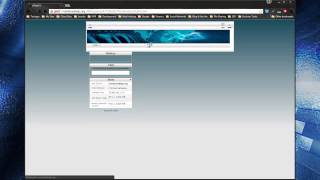
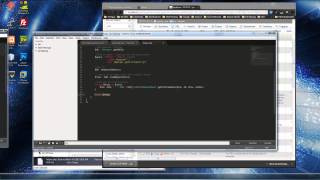
hey guys I figured I'd make a quick video showing you how to remove the footer and the focal Gallery component for jumla and keep in mind with every version that comes out um they usually change this so what I have written here now might not work for the newest version and if that's so I'll try to keep up and update the page but if you figure it out um please leave it in the comments for other people um this is actually I'm going to be showing you foca Gallery version 3.2.3 okay and you'll see I have this I have this um sample site up and I have I'm on the images page with which is the categories view of foca and if you click on the category this is the category view of foca and you'll see we have the footer on both so what I'm going to do is I have this set up on examp a local in a local server but you want to go to your Juma installation and go to components foca Gallery cuz first we're going to do this the categories page and you want to go to views and categories which is this view okay and then we got want to go to the template folder the tmpl and we want to click on default and I'm just going to edit this with notepad++ all right now at the very bottom you see this little call this little um function call you just want to comment that you can either delete it or just comment it out with a a couple slashes and then save that reload and it's gone now when they update the versions just always check around the bottom if if something looks like that that function call right there you know just test it out uh you know delete it reload if it's not right then put it back try something else but it's usually something in those F in The View files so next we're going to do the category view so we'll go back to views and category the template folder and default and also at the bottom is actually the very on both views it's the very last line so I mean it's very easy if you're using 3.2.3 you shouldn't have any issues so I'm going to save that reload and it's gone so that's it now you have no more branding in the footer so if you guys have any questions or or comments or whatever just um leave it down in the comments area um and like I said I'll try to keep this up to date all right thanks
Original Description
Please donate to http://phoca.cz if you remove this footer. Visit http://www.techguywebsolutions.com/remove-powered-by-phoca-gallery-version-3.2.html for more info
IF YOU ARE LOOKING FOR PHOCA VERSION 3.2.5 or 4.0, SEE HERE - http://www.techguywebsolutions.com/remove-phoca-gallery-footer-version-3.2.5.html
Playlist
Uploads from Traversy Media · Traversy Media · 9 of 60
1
 2
2
 3
3
 4
4
 5
5
 6
6
 7
7
 8
8
 ▶
▶
 10
10
 11
11
 12
12
 13
13
 14
14
 15
15
 16
16
 17
17
 18
18
 19
19
 20
20
 21
21
 22
22
 23
23
 24
24
 25
25
 26
26
 27
27
 28
28
 29
29
 30
30
 31
31
 32
32
 33
33
 34
34
 35
35
 36
36
 37
37
 38
38
 39
39
 40
40
 41
41
 42
42
 43
43
 44
44
 45
45
 46
46
 47
47
 48
48
 49
49
 50
50
 51
51
 52
52
 53
53
 54
54
 55
55
 56
56
 57
57
 58
58
 59
59
 60
60

Changing Your DNS/Nameservers
Traversy Media
Create a MySQL database in cPanel
Traversy Media
Install & Uninstall Joomla Extensions
Traversy Media
Adding and linking an article in Joomla
Traversy Media
Create a Joomla Blog
Traversy Media
Import & Export A MySQL Database
Traversy Media
Use A Custom Font On Your Website Using CSS
Traversy Media
Connect Joomla Site With Dreamweaver
Traversy Media
Remove Phoca Gallery 3.2.3 Footer Text
Traversy Media
Drupal 7 Security Update 7.19 to 7.20
Traversy Media
Add An Addon Domain In Cpanel
Traversy Media
Pull A Heroku Rails App and Database
Traversy Media
Create a Custom Joomla 2.5 Module - Part 1
Traversy Media
Create a Custom Joomla 2.5 Module - Part 2
Traversy Media
Create a Custom Joomla 2.5 Module - Part 3
Traversy Media
Joomla SEO Tutorial - sh404sef Configuration
Traversy Media
Font Dragr
Traversy Media
Convert an HTML Template to Joomla 2.5/3.0 - Part One
Traversy Media
Convert an HTML Template to Joomla 2.5/3.0 - Part Two
Traversy Media
Rockettheme Rocketlauncher Joomla Site in Under 10 Minutes
Traversy Media
JQuery FAQ Slider Tutorial
Traversy Media
301 Redirect With htaccess File
Traversy Media
Convert HTML to Wordpress Theme - Part 1
Traversy Media
Convert HTML to Wordpress Theme - Part 2
Traversy Media
Easy JQuery Widgets
Traversy Media
Codeigniter App Part 1 - Creating the Database
Traversy Media
Codeigniter App Part 2 - Installation and Configuration
Traversy Media
Codeigniter App Part 6 - Login/Register System
Traversy Media
Codeigniter App Part 7 - Models List CRUD
Traversy Media
Codeigniter App Part 8 - Models Task CRUD
Traversy Media
Node.js Part 1 - Install NodeJS on Windows
Traversy Media
Node.js Part 3 - Building a Static Page Server
Traversy Media
Node.js Part 4 - NPM
Traversy Media
Node.js Part 2 - Install MongoDB in Windows
Traversy Media
Create a Joomla Quickstart with Custom Sample Data
Traversy Media
Install MongoDB in Ubuntu
Traversy Media
HTML5 Web Storage
Traversy Media
Create a Joomla Bootstrap Template From Scratch
Traversy Media
Ubuntu Server 14.04 Setup Part 1 - Installation
Traversy Media
Ubuntu Server 14.04 Setup Part 3 - Set Static IP
Traversy Media
Create A Wordpress Widget - Part 1
Traversy Media
Create A Wordpress Widget - Part 2
Traversy Media
Create A Wordpress Widget - Part 3
Traversy Media
Create A Wordpress Widget - Part 4
Traversy Media
Get Started With Sass on Windows
Traversy Media
Build An HTML5 Template With Bootstrap and SASS - Part 1
Traversy Media
Build An HTML5 Template With Bootstrap and SASS - Part 6
Traversy Media
Build An HTML5 Template With Bootstrap and SASS - Part 4
Traversy Media
Build An HTML5 Template With Bootstrap and SASS - Part 5
Traversy Media
Build An HTML5 Template With Bootstrap and SASS - Part 3
Traversy Media
Build An HTML5 Template With Bootstrap and SASS - Part 2
Traversy Media
Build An HTML5 Template With Bootstrap and SASS - Part 7
Traversy Media
Build An HTML5 Template With Bootstrap and SASS - Part 10
Traversy Media
Build An HTML5 Template With Bootstrap and SASS - Part 8
Traversy Media
Build An HTML5 Template With Bootstrap and SASS - Part 11
Traversy Media
Build An HTML5 Template With Bootstrap and SASS - Part 9
Traversy Media
Build An Audio Player Using HTML5 & jQuery - Part 1
Traversy Media
Build An Audio Player Using HTML5 & jQuery - Part 2
Traversy Media
Youtube Data API v3 & jQuery To List Channel Videos
Traversy Media
Using Bootstrap With Ruby on Rails
Traversy Media
More on: Systems Design Basics
View skill →



![Node.js & Express From Scratch [FINAL] - Deploying Our App](https://i.ytimg.com/vi/_GSOnHRYSS0/mqdefault.jpg)


Related Reads
📰
📰
📰
📰
I overloaded Slack’s Job Queue — and what it taught me about scale
Medium · Programming
I Thought Senior Java Interviews Were About Java. Then Every Question Turned Into aDatabase Question
Medium · Programming
The last scan is not the last mile: modelling the carrier handover in shipment tracking
Dev.to · 24hTrack
From Coder to Architect: Engineering the System One AI & MCP Gateway Stack
Dev.to AI
🎓
Tutor Explanation
 DeepCamp AI