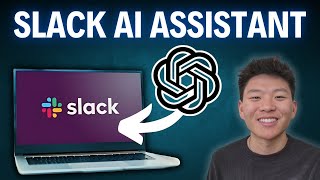
How to Build an AI Slack Assistant in 5 Minutes (Chatbase)
Key Takeaways
The video demonstrates how to build an AI Slack assistant using Chatbase and custom GPT in under 5 minutes, showcasing the ease of integrating AI assistants into Slack channels.
Full Transcript
today we're going to be using chatbase and absolutely zero code to build an AI assistant within your slack channel that you and your team can talk to in order to get questions answered fast let's not waste any time click the link in the description to go over to chatbase and let's set up our custom GPT once you're in chatbase it's a super super simple interface all you got to do is click on new chatbot so now we need to set up our data sources which is just the information that the AI assistant is going to be having access to as you can see you can upload files you could just type in some text you could put your website URL and it's going to scrape your website and pull all the information back you could do question and answer chains or you could do notion as you can see it's so easy to connect different data sources to an AI assistant in this case we're just going to be using a website so I've pulled up nvidia's Wikipedia page here and I'm just going to paste this URL in here and all we have to do is fetch links so now in the background chatbase will be scraping the Wikipedia page for NVIDIA it's going to return all the information and as you can see it just got a ton of information back about Nvidia and as long as we stay within 11 million characters we should be good to go which which is a ton of characters now all we have to do is hit create chatbot and we can start testing this thing out now that our assistant has been configured and trained on some initial data we can start to look around at the other options we have so we have the playground where we can test out the responses and how information's coming through we have activity to see past chat logs we have analytics where we can look at chats messages how it's being trained if the answers are good or not we can also go back to our sources and we can delete stuff or we can continue to add more information here then we have different ways to connect we can obviously do it to a website but in this video we'll be be embedding it within our slack Channel and then finally we have our settings where we can update the prompting and the model of the assistant itself before we start talking to our AI assistant I'm just going to update this prompts real quick so that it knows it's an internal AI slack chatbot and that it will be talking to employees from Nvidia so pretty much I just told it that its role is an AI chatbot designed to assist Nvidia employees to provide accurate friendly efficient responses drawing from its knowledge base which we gave it that Wikipedia page on Nvidia and then we kept the other stuff about we wanted it to you know never mention that it has training data Focus solely on providing helpful and relevant video related information we can also change the assistant temperature which is just kind of how reserved or creative the responses will be so let's just go with 6 hit save and now let's start talking to our assistant so the playground is where we can test out responses so I'm going to come in here and say when and why did we go public and let's see what we get Nvidia went public on January 22nd 1999 going public allowed the company to raise Capital by offering shares of its stock to the public this Capital could then be used to find further research and development blah blah blah so as you can see it's getting information from Wikipedia and it's getting it back to us super quick and finally we have the option to rate the response as good or bad in order to continue to train our chatbot or we could have it retry if we didn't like the way that it came through real quick I'm going to ask a more specific question so I'm going to say what are the benefits of the GTX 1080 and we'll see what they say all right as you can see it just spit off six benefits here we've got Pascal architecture high performance um a better memory s SMP VR ready and Energy Efficiency so that's going to be super useful if you're within your slack and you need a quick answer now we need to actually put this into our slack channel so we're going to hit connect we're going to go down to Integrations so chat base makes it super super easy and we just have to hit connect now we just have to give chat base permission to access our workspace congratulations your chat base has been successfully added to your workspace we are filled to have you on board so now let's open Slack and test it out okay now we're in slack as you can see down here in our apps we have chat base right there and in the actual Channel I'm going to say at chatbase and then ask a question like what is up now it says you mention chat base but they're not in the channel so we have to quickly invite them so there we go chat base has been added it introduced itself now let's try asking it a question about Nvidia so all you have to do is hit add and you can see that chat base pops up so we will hit chat base and then we can paste in our question have we acquired any companies in the past few years let's send that off and now chatbase will be working to answer that question as you can see he's typing yes Nvidia has been active in Acquisitions over the past few years one notable acquisition was melanox Technologies which was completed in April 2020 so it's got a little information there and we could also go back and ask for more information but now it's in our slack I can ask it questions anyone on my team can ask it questions and it's really going to help out the efficiency of the team so that was a super quick video showcasing how to get a custom GPT into your slack channel in no time there's so much other stuff in chat base that we haven't explored yet like other Integrations looking at the analytics prompting and training your chatbot so definitely let me know if you guys want to see more click the link in the description to go sign up for chat Bas and I'll see you guys in the next one thanks
Original Description
📈 Sign up for Chatbase here: https://link.chatbase.co/NateHerk
📌 Join my free Skool community for access to the template, custom prompts, and JavaScript functions used in this video! 👇
https://www.skool.com/ai-automation-society-3440/about
In this video, I showcase how to add a custom GPT (AI Assistant) 🤖 into your Slack channel 💬 in under 5 minutes ⏱️ using Chatbase. This platform is super powerful, making it easy to integrate AI assistants! If you enjoyed this video, leave a 👍 for more Chatbase content, and don’t forget to subscribe 🔔 for more no-code AI automation videos!
Business Inquiries:
📧 nateherk@uppitai.com
WATCH NEXT:
https://youtu.be/EzS2PIjyeQQ
TIMESTAMPS
00:00 Intro
00:18 Data Sources
01:05 Chatbot Configuration
02:15 Testing
03:12 Connecting to Slack
Gear I Used:
Camera: Razer Kiyo Pro
Microphone: HyperX SoloCast
Background Music: https://www.youtube.com/watch?v=Q7HjxOAU5Kc&t=0s
Don't forget to like, subscribe, and hit the notification bell to stay updated with my latest videos on AI agents and automations!
Watch on YouTube ↗
(saves to browser)
Sign in to unlock AI tutor explanation · ⚡30
Playlist
Uploads from Nate Herk | AI Automation · Nate Herk | AI Automation · 21 of 60
1
 2
2
 3
3
 4
4
 5
5
 6
6
 7
7
 8
8
 9
9
 10
10
 11
11
 12
12
 13
13
 14
14
 15
15
 16
16
 17
17
 18
18
 19
19
 20
20
 ▶
▶
 22
22
 23
23
 24
24
 25
25
 26
26
 27
27
 28
28
 29
29
 30
30
 31
31
 32
32
 33
33
 34
34
 35
35
 36
36
 37
37
 38
38
 39
39
 40
40
 41
41
 42
42
 43
43
 44
44
 45
45
 46
46
 47
47
 48
48
 49
49
 50
50
 51
51
 52
52
 53
53
 54
54
 55
55
 56
56
 57
57
 58
58
 59
59
 60
60

How I Wish Someone Explained AI Agents To Me (as a beginner)
Nate Herk | AI Automation
How to Create an AI Email Agent with n8n (No Code, Step-by-Step Tutorial)
Nate Herk | AI Automation
How to Create an RAG Chatbot AI Agent with n8n (No Code, Step-by-Step Tutorial)
Nate Herk | AI Automation
Build your first NO CODE AI Agent in n8n (for beginners)
Nate Herk | AI Automation
*LIVE BUILD* Personalized Outreach AI Agent in n8n (No Code)
Nate Herk | AI Automation
*LIVE BUILD* Inbox Management AI Agent with n8n (NO CODE, Step-by-Step Tutorial)
Nate Herk | AI Automation
How to Build a Google Scraping AI Agent with n8n (Step By Step Tutorial)
Nate Herk | AI Automation
How to Build a Client Onboarding AI Agent with n8n (Step-by-Step Tutorial, No Code)
Nate Herk | AI Automation
I Built a Personal Assistant AI Agent with No Code in n8n
Nate Herk | AI Automation
Build a No-Code AI Chatbot (Step-by-Step Tutorial)
Nate Herk | AI Automation
I Built an AI Agent that Automated my Inbox with n8n (No Code)
Nate Herk | AI Automation
Step-By-Step: Add 100+ Files to Pinecone for RAG AI Agent with n8n
Nate Herk | AI Automation
n8n Masterclass: Build AI Agents & Automate Workflows (Beginner to Pro)
Nate Herk | AI Automation
Scrape Google for LinkedIn Profiles in Seconds with n8n
Nate Herk | AI Automation
Step By Step: Automating Lead Nurturing with No Code in n8n
Nate Herk | AI Automation
n8n AI Agent Masterclass | AI Nodes Made Simple
Nate Herk | AI Automation
AI Personal Assistant 2.0 | This Agent Calls Other Agents (No Code) in n8n
Nate Herk | AI Automation
The Best Way to Give AI Agents Tools in n8n
Nate Herk | AI Automation
I Scraped, Researched, and Created Outreach for 16,846 Leads using Godmode HQ
Nate Herk | AI Automation
AI Agent Prompting Masterclass: Beginner to Advanced
Nate Herk | AI Automation
How to Build an AI Slack Assistant in 5 Minutes (Chatbase)
Nate Herk | AI Automation
Step by Step: Scrape UNLIMITED Emails for FREE with n8n
Nate Herk | AI Automation
Chains vs AI Agents in n8n #artificialintelligence #shorts
Nate Herk | AI Automation
Step by Step: RAG AI Agents Got Even Better
Nate Herk | AI Automation
n8n vs Make.com #artificialintelligence #coding #agentgpt #techtok
Nate Herk | AI Automation
How to Build a Personal Assistant AI Agent in n8n (Step-by-Step, No Code)
Nate Herk | AI Automation
Personal Assistant AI Agent in n8n #n8n #coding #agentgpt #artificialintelligence
Nate Herk | AI Automation
Set up Google Credentials in n8n in 5 minutes (2025)
Nate Herk | AI Automation
5 n8n Tips You NEED to Know
Nate Herk | AI Automation
Build this Multi AI Agent System for Research and Content Creation in n8n
Nate Herk | AI Automation
Vector Database Optimization with n8n: Metadata, Text Splitting, & Embeddings
Nate Herk | AI Automation
Are you doing these things to optimize your Vector Database? #artificialintelligence #n8n
Nate Herk | AI Automation
This AI Agent Extracts Text From Images in n8n
Nate Herk | AI Automation
This Invoice Agent Analyzes Images in n8n #techtok #agentgpt #artificialintelligence #n8n
Nate Herk | AI Automation
The Best RAG System On YouTube (Steal This!)
Nate Herk | AI Automation
RAG System 2.0 | Effortless RAG in n8n #artificialintelligence #n8n #aiagent #RAG
Nate Herk | AI Automation
Understanding APIs in n8n (as a beginner)
Nate Herk | AI Automation
Understanding APIs in n8n #n8n #artificialintelligence #api
Nate Herk | AI Automation
How I Built an AI Agent to Automate my Emails in n8n (Step by Step, No Code)
Nate Herk | AI Automation
This AI Agent automates my customer support emails. #n8n #aiagent #artificialintelligence
Nate Herk | AI Automation
Everything I Learned About AI Agents in 2024 in 19 Minutes
Nate Herk | AI Automation
Build AI Agents for $0.014 with DeepSeek V3 in n8n
Nate Herk | AI Automation
Having an Actual Conversation with Data Using an ElevenLabs Voice Agent and n8n
Nate Herk | AI Automation
Having an ACTUAL conversation with my data using ElevenLabs Voice Agent #aiagent #elevenlabs
Nate Herk | AI Automation
ElevenLabs Voice Agents Are So Easy to Build (No Code!)
Nate Herk | AI Automation
How I'd Teach a 10 Year Old to Build AI Agents (No Code, n8n)
Nate Herk | AI Automation
How I Built A Technical Analyst AI Agent in n8n With No Code
Nate Herk | AI Automation
This AI Agent Analyzes Stock Indicators! #n8n #artificialintelligence #coding #agentgpt #techtok
Nate Herk | AI Automation
I Built a Team of Research Agents for Newsletter Automation in n8n (No Code)
Nate Herk | AI Automation
This Team of AI Research Agents Automated My Newsletters! #n8n #artificialintelligence #aiagent
Nate Herk | AI Automation
The Ultimate n8n Starter Kit (2025) (Free)
Nate Herk | AI Automation
Two Ways to Save 96% of Your Money Using DeepSeek R1 in n8n
Nate Herk | AI Automation
How to Actually Build Agents with DeepSeek R1 in n8n (Without OpenRouter)
Nate Herk | AI Automation
This Voice Agent Sends Emails for You #artificialintelligence #n8n #aiagent #coding #agentgpt
Nate Herk | AI Automation
Best Model for RAG? GPT-4o vs Claude 3.5 vs Gemini Flash 2.0 (n8n Experiment Results)
Nate Herk | AI Automation
How to Locally Host DeepSeek R1 for FREE in Under 10 Minutes in n8n
Nate Herk | AI Automation
OpenAI Fires Back at DeepSeek With a New Reasoning Model: o3-mini (n8n AI Agent)
Nate Herk | AI Automation
Run DeepSeek R1 Locally in Under a Minute #coding #artificialintelligence #n8n #deepseek
Nate Herk | AI Automation
I Built the Ultimate Team of AI Agents in n8n With No Code (Free Template)
Nate Herk | AI Automation
I Built the Ultimate Team of Agents in n8n #artificialintelligence #n8n #agentgpt #techtok #coding
Nate Herk | AI Automation
More on: LLM Foundations
View skill →








![Run Any AI LOCALLY for FREE Forever! [100% Beginner Tutorial]](https://i.ytimg.com/vi/8GFPZRgtEn8/mqdefault.jpg)
Related Reads
📰
📰
📰
📰
Don't Fragment My AI Stack: Why Shutting Off Chinese Open-Weight Models Is a Bad Idea
Dev.to · Hanzla Baig
Marking the Wrong Symptoms: Evaluating LLM Watermarks in Medical Texts
ArXiv cs.AI
ClickGuard: Detecting and Spoiling Clickbait News with Informativeness Measures and Large Language Models
ArXiv cs.AI
How I'd Make Money Using ChatGPT in 2026 (If I Had to Start From Zero)
Medium · ChatGPT
Chapters (5)
Intro
0:18
Data Sources
1:05
Chatbot Configuration
2:15
Testing
3:12
Connecting to Slack
🎓
Tutor Explanation

 DeepCamp AI