how to find max length word from text string
Key Takeaways
This video teaches viewers how to find the maximum length word from a text string in Excel
Full Transcript
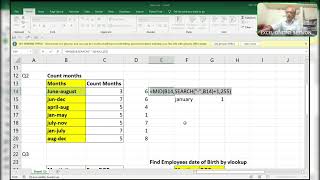
okay from starting i'd explain you once again guys due to some uh problem i'm unable to do that well i'll explain you once again just i'll press something something wait a minute guys wait a minute [Music] match type comma zero a minute just simply i did this one not the correct accurate one so i'll do a little okay i'll do here okay now see here well let's lock it first of all you have to accept each and every word before it was a mute for that reason i rescheduled the video chat again sorry for that and now see what i'll do step by step i'll show you first of all what you'll do made of made of substitute of i'm adding space to the that value ampersand this one and old text will be space and the new text i'm adding or i am replacing or i'm substituting substituting a new value a new character that is space how many times 255 times okay and starting number what i'll use 1 into 255 comma 255 so it will give you the first word from the text string if i highlight f9c my but before that i'll use a trim function over here trim f9 see the first word from the text string instead of one if i use two it will show you the second word birthday if i use three over here it will extract third word that is ease so i want to find the length of the maximum character word that is birthday so you have to extract birthday over here right so what i'll use first of all i want to use this formula again and again so i'm copying this formula and i'm using what am using here that is okay okay index of this whole thing array this is an array index of the whole thing right okay we're not here i'll show it simply i'll what i'll do before that wait a minute before that what i'll do i'll show you one trick that is you want to extract each and every word from the texting by using row and indirect function that is this one so it will extract each and every word right one two how many words are there totally 26 words are there including a space see if i press enter now i'll show you is equal to length of this see that that is the thing i did here totally 26 update f9 see including space so ctrl z control c so i use this formula over here that is in display control v now see what will happen it will extract each and every word each and every word differently including the space see my birthday is on differently and if you have any doubt ask me in the group or in the comment box now what i'll do i need this formula i'll copy this formula and what i'll use here the simple logic what i'll use index index of this whole thing the array part that is f9 this part this will i'm converting this into an array by using index function comma and we need the row so what i'll use match of max of length this whole text now i'll show you what will happen lookup value will become f9 see here i will show you so that you can able to understand f9 c2 8 word is two letters second word is eight letters third word is two letters again fourth word is on letters all two words and june is fourth letters word length of the word is four letters right so what will
Original Description
Excel Guru
telegram group link
https://t.me/+8TESWEKBXukwOWVl
Watch on YouTube ↗
(saves to browser)
Sign in to unlock AI tutor explanation · ⚡30
Playlist
Uploads from ExcelGuru · ExcelGuru · 32 of 60
1
 2
2
 3
3
 4
4
 5
5
 6
6
 7
7
 8
8
 9
9
 10
10
 11
11
 12
12
 13
13
 14
14
 15
15
 16
16
 17
17
 18
18
 19
19
 20
20
 21
21
 22
22
 23
23
 24
24
 25
25
 26
26
 27
27
 28
28
 29
29
 30
30
 31
31
 ▶
▶
 33
33
 34
34
 35
35
 36
36
 37
37
 38
38
 39
39
 40
40
 41
41
 42
42
 43
43
 44
44
 45
45
 46
46
 47
47
 48
48
 49
49
 50
50
 51
51
 52
52
 53
53
 54
54
 55
55
 56
56
 57
57
 58
58
 59
59
 60
60

Total Sumproduct Session By Excel Expert Mr.Sanjeev kaushik
ExcelGuru
Uses and Technics of Transpose in 3 Methods
ExcelGuru
Query Solved ExcelExpert
ExcelGuru
counting numbers and text with creteria lenngth
ExcelGuru
For Reverse Looking Fing age By Using Database Function
ExcelGuru
MIS INTERVIEW QUESTION EXTRACTING FIRST AND LAST NAME WHICH IS NOT HAVING DELIMETER
ExcelGuru
finding Unique count of sales between Dates
ExcelGuru
counting 2 lookup values as per dupicates
ExcelGuru
Reverse Vlookup to get DOB
ExcelGuru
17-04-2022 Sridevi Marriage Celebrations
ExcelGuru
INTERVIEW QUERIES WITH ANOTHER QUERY
ExcelGuru
finding maximum sales of product when duplicate products
ExcelGuru
QUERY ASKED IN GROUP
ExcelGuru
MIS TEST WITH AMAZING SOLUTION BY JR.BILLGATES(ANAND)
ExcelGuru
query to count not saled products after saled products
ExcelGuru
Explanation about birla mandir at Hyderabad
ExcelGuru
counting specific weekday in between dates
ExcelGuru
Extract Data As per Creteria with power Query
ExcelGuru
Extracting data as per creteria in different sheets
ExcelGuru
SOLUTION FOR INPHOSYS MIS-1(1-4)
ExcelGuru
solution for inphosis mis 2(12-13)
ExcelGuru
INPHOSIS MIS SOLUTION-3(5-10)
ExcelGuru
LOGICAL MIS INPHOSIS-4(17-18)
ExcelGuru
MIS INTERVIEW QUESTION
ExcelGuru
MIS INPHOSIS -5(19-21)
ExcelGuru
MIS INPHOSIS - 6(23-25)
ExcelGuru
extracting pin codes or number from text string
ExcelGuru
finding maximum sales in one value
ExcelGuru
finding how many months are there between months
ExcelGuru
Quarter sales by month
ExcelGuru
Finding rate with 2 conditions by using vlookup
ExcelGuru
how to find max length word from text string
ExcelGuru
Group query To find sales and Quantity With 2 conditions by using VLOOKUP
ExcelGuru
my angels birthday celebrations
ExcelGuru
Group Query Adding total sales when it is having random delimiter like inches,kgs,Ton
ExcelGuru
Seperating first and last Name by space using function
ExcelGuru
Finding Total Goals from different tables Team members
ExcelGuru
Group Query To Extract Team members Names
ExcelGuru
Extracting data in a single column
ExcelGuru
converting one column data into table interview question
ExcelGuru
MIS INTERVIEW QUESTION-100
ExcelGuru
MIS INTERVIEW QUESTION -101 FINDING VALUE AS PER CHARACTERS LENGTH BY VLOOKUP
ExcelGuru
chi.shreyansh
ExcelGuru
MIS INTERVIEW QUESTION-102(SORT BY LENGTH)
ExcelGuru
query to extract last words from sentence
ExcelGuru
MIS INTERVIEW -103(EXTRACT MAXIMUM CHARACTERS WORD IN A CELL)
ExcelGuru
group query
ExcelGuru
without len function count of characters
ExcelGuru
MIS QUERY
ExcelGuru
mis interview questions part -1
ExcelGuru
Real MIS Query-1
ExcelGuru
real mis interview questions-1
ExcelGuru
finding the value as per length of characters
ExcelGuru
real mis -2
ExcelGuru
real MIS -3
ExcelGuru
REAL MIS -4(PART A)
ExcelGuru
group query
ExcelGuru
tech mahindra mis
ExcelGuru
courier company MIS
ExcelGuru
tech Mahindra (UPDATED)
ExcelGuru
Related Reads
📰
📰
📰
📰
Your Pipeline Is 25.4h Behind: Catching Defence Sentiment Leads with Pulsebit
Dev.to · Pulsebit News Sentiment API
I turned a public-domain government CSV into a searchable index of every port and airport on Earth
Dev.to · ZahidRahman47
New York Imposes One-Year Moratorium on New Hyperscale Data Centers
TechRepublic
Building a Population Health Risk Stratification Pipeline for MA Plans
Dev.to · VBC Risk Analytics
🎓
Tutor Explanation

 DeepCamp AI