Elm Tutorial Part 3
Key Takeaways
The video demonstrates a simple Todo application in Elm, covering topics such as pattern matching, cons, let binding, and event handling. It showcases the use of Elm for building interactive applications and provides a practical example of a Todo list component.
Full Transcript
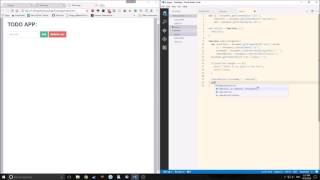
hi guys this is tensor from the tensor programming blog welcome to the album tutorial part 3 today we will be creating a simple to-do app that will look something like this and when we hit submit it creates an item with a button that allows us to delete it we can add as many as we want each button will allow us to delete single items we will have a remove all button let's look at the actual HTML of this so as you can see we have a div that surrounds everything and inside that div we have an input then we have two buttons one for submit and one for removal then inside there we have a div that contains our unordered list as we add elements our unordered lists adds list items so now I've opened our own project when starting a new out project you should always run down package install this will install the base packages that you need and create a package that JSON for elm as you can see here's the package saw JSON it's got our core dependencies it's got a version number we can change the summary we can change the repository and we can add other things into it it also creates a folder called album stuff which houses our packages and the elm language that we use because we are working with HTML the first thing that we need to do is import the HTML library then we need to import HTML dot app because we want to tie our application together we also need to import HTML dot events because we're going to have two buttons with on click events then we need to import HTML dot attributes because we're going to be working with the attributes of our HTML as you can see I divided our program into a model update and view again that is because our to-do will only need motto updated view first we're going to create a mock-up view for this program to do that we need to create a view function so view equals div and inside the divs second list we will have a input the input will contain a type now this function type with a quote allows us to designate the type of the actual HTML element in this case we will designate it with text after that we will have a button element which will contain text of submit in the second list and another button which will contain text of remove all finally we will have a give at the bottom which will house our unordered list for now we will not create our unordered list and our list items because we will be creating those in a separate component if we want to take a look at what this will look like we can set the main function equal to the view if we want Elm reactor we can see what our view will look like so here's our view as you can see it's a text box the two buttons surrounded by a div and it's got a div in the bottom these buttons do nothing in the text box does nothing because we have no quarrel logic in our program so let's rectify that so first when creating a project in Elm you wants you to find what the model will look like so we will use a type alias our model type will contain a string called to do and a list of strings called to do's we can quickly create our model function and the type for that model function by simply calling it model creating a type of model model equal to a record that contains to do with an empty string and two dues with an empty list so that's all we're going to need for our model in this application so for the next part of the application we need to define at least one or two messages in our update these messages are the messages that are going to be sent to our update when we input stuff into the input box and when we click on one of the two buttons type message equals update to do this we'll take a string add to do this we'll take nothing remove all which will also take nothing we're also going to use pattern matching because our update function will take in a message which comes from the view and the model which comes from the model and render our new model the update function takes a message model equals case message of update to do we'll take in a string of text and it will change our record by changing the to do element equal to at text ad to do will again change our model in this case it will change our list element which is to do is it will set that equal to D to do string which is model dot to do which will be cond on to the list now cons allows us to insert the string into the front of the list and this is exactly the behavior that we want in this case so when you input a new string into the input box and you hit submit that new string will be inserted into the front of the list which will allow it to create an unordered list item at the top of the unordered list itself finally our remove all will simply change our model by setting - duze to an empty list now we need to change our view function our view function is taking in our for an import Emlyn you want to add an on input function called update to do we also want to add a value function that calls model dot to do the reason we do this this value model about to do and so that the input knows that this is the string that we are inputting for our first button we will have an on click of that Mitchell taking add to do for our second button we will have an on click event that will take in remove all if we were to run this program as is we would actually have problems because it's not actually showing us any feedback that it's taking in the to-do list inside our second div we will call text to string model thoughts you dues and this will show us dynamically as we type in this string inside the input box we also need to change our main function so main will equal tap dot begin our program now we have a fully working the program if we reload our L reactor we can now see as we type in elements the div automatically changes though when we hit submit nothing happens and that's because we haven't created our unordered list items also the reason why we're getting these quotes is because we called to string if we remove the T string function we won't have the quotes anymore so now we want to make two more components in our view first component will be called to-do item which will take in a string and output HTML on a message the do item takes in to do and it outputs a empty tuple for now as a placeholder our other item will be called to-do list which will take in a list of strings output HTML and a message to do list taking to do's and we will use what's called a wet in buying now let in binding allows us to bind local variables in a block he lets us keep the scope local to this specific function let's take a look at how that works we're going to bind a variable called child to list map to do item to do and what this is doing is it's going to map our item up here to our - dues list next we want to add the in element so we add the in block to the end and now we define what our unordered list will actually look like now because child is a list itself we do not actually have to put brackets around it so now let's that's what the to-do item part so our to-do item is fairly simple just a list item that contains text to do which is the text version of today a button which will have an on click event which we have yet to create the message for button will have text of X to make it look like you're deleting something so now let's look at our app if we hit submit nothing happens because we haven't added these components to our view here so let's add these components to review call to-do list down here it doesn't actually work what we need to do is call to-do list and pass model dot - duze inside of it let's reload this if we hit submit and we now create elements but we can't delete them yet because we haven't added functionality to this button we can remove them all however now we're getting closer now we want to be able to selectively delete one element at a time let's create that message function the message function will be called remove item and it will take in a string club text remove item will change our model - duze item by setting it equal to a list filter using an anonymous auction so what this list filter is doing is it's taking the text string and it's passing it here and then this variable gets passed through each item of two dues and it tries to find if that item is equal to text and all the items that are not equal two texts stay inside of the list itself the item that does equal text gets removed let's add this to our type syntax make sure that you pass string through it because it is taking a string in we call on click remove item and then we have the pass to do in here need to put parentheses around this so that it'll work now our application should work as advertised now we can delete individual items from our application there is one caveat however we're doing things this way if you have multiple items that have the same value it will remove them all because of the way that the filter function works we could change that but for now it's not something that's critical so now we have a fully functioning to-do application but there's no styling in this to-do application we can change that by using a function called style sheet so what we've done here is we've created a function called style sheet which uses a local binding and binds tag to the link element and then it creates a list and inside the list it has a set of strings which create a tag attribute and then we use the node function to create a tag attribute which then imports all of this information into our HTML now if you notice children is an empty list that's simply because all HTML elements in elm take two lists so if we import stylesheet into our view here we can import it into our div and now we can start adding classes to our items are dave is now class jumbotron you can mess around with these classes based around typical bootstrap fashion as you can see the class function is a function itself but you can pass multiple elements inside of the string that's being passed to the class function just make sure that you are adding the class element to the first list inside of your element we save everything we live reload it we now have full styling on all of our elements you can play around with this and make it look better if you want and you can even import your own style sheet using the same method just replace the HTTP with your own local path to a style sheet there's also one more thing that I want to do with this application and that is make it so that when we input an item into the textbox it gets removed the easiest way to do this is to add an on mouse remove item to our input box on Mouse leave we will call it clear input we need to add clear input to our messages clear input takes no argument clear input is very simple all it does is change our model record item of to do equal to an empty string now freely reload our application we type something in the box hit submit I screwed up I made it mouse leave I meant to make it a mouse enter event now if we reload our app and we hit submit when we move our mouse up to add a new item it clears the input box I hope you guys enjoyed this album tutorial we will of course be making more in the coming days I hope this small app gave you insight into things like the wet end binding as well as how to dynamically change models and write anonymous functions anyway thank you very much if you like this video feel free to subscribe like if you dislike this video feel free to dislike and comment and tell me why and if you thought we missed something feel free to comment and ask a question anyway thank you very much and until next time
Original Description
In this part of the tutorial we look at a simple elm Todo application.
Feel free to comment if you want and subscribe for more tutorials.
Check out the Code on Github: https://github.com/tensor-programming/Elm-tutorial-3
Check out our Twitter: https://twitter.com/TensorProgram
Check out our Facebook: https://www.facebook.com/Tensor-Programming-1197847143611799/
Watch on YouTube ↗
(saves to browser)
Sign in to unlock AI tutor explanation · ⚡30
Playlist
Uploads from Tensor Programming · Tensor Programming · 5 of 60
1
 2
2
 3
3
 4
4
 ▶
▶
 6
6
 7
7
 8
8
 9
9
 10
10
 11
11
 12
12
 13
13
 14
14
 15
15
 16
16
 17
17
 18
18
 19
19
 20
20
 21
21
 22
22
 23
23
 24
24
 25
25
 26
26
 27
27
 28
28
 29
29
 30
30
 31
31
 32
32
 33
33
 34
34
 35
35
 36
36
 37
37
 38
38
 39
39
 40
40
 41
41
 42
42
 43
43
 44
44
 45
45
 46
46
 47
47
 48
48
 49
49
 50
50
 51
51
 52
52
 53
53
 54
54
 55
55
 56
56
 57
57
 58
58
 59
59
 60
60

NodeJs, Text editors and IDEs
Tensor Programming
Vanilla JS todo App
Tensor Programming
Elm Tutorial part 1
Tensor Programming
Elm Lang Tutorial, Part 2
Tensor Programming
Elm Tutorial Part 3
Tensor Programming
Elm Tutorial Part 4 -- Analog Clock App
Tensor Programming
Elm Tutorial part 5 -- Snake Game
Tensor Programming
Elm Tutorial part 6 -- Calculator
Tensor Programming
Go Tutorial part 1 -- Hello World and Static File Server
Tensor Programming
Go Tutorial part 2 -- Web Crawler
Tensor Programming
Go Tutorial Part 3 (Web App part 1)
Tensor Programming
Go tutorial Part 4 (Web tutorial part 2) - Using templates
Tensor Programming
Go tutorial part 5 (web app part 3)
Tensor Programming
Go tutorial part 6 (webapp part 4)
Tensor Programming
Go tutorial part 7 (web app part 5)
Tensor Programming
Go tutorial part 8 (Web app part 6)
Tensor Programming
Go tutorial Part 9 (web tutorial part 7)
Tensor Programming
Go tutorial Part 10 (web app part 8)
Tensor Programming
Go tutorial Part 11 (Web app Part 9)
Tensor Programming
Go Tutorial Part 12 (Web app Part 10)
Tensor Programming
Go Tutorial Part 13 (Web app Part 11)
Tensor Programming
Looking at Elm 0.18
Tensor Programming
Go tutorial Part 14 (Web tutorial part 12)
Tensor Programming
Go tutorial Part 15 (Web tutorial part 13)
Tensor Programming
Go tutorial part 16 (web app part 14)
Tensor Programming
Elm Tutorial Part 7 (SPA part 1)
Tensor Programming
Elm Tutorial Part 8 (SPA Part 2)
Tensor Programming
Electron Elm Tutorial
Tensor Programming
Go tutorial part 17 (web app part 15)
Tensor Programming
Up and Coming Programming Languages and Technologies for 2017
Tensor Programming
elixir tutorial part 1
Tensor Programming
elixir tutorial part 2
Tensor Programming
Elixir tutorial Part 3 (GenServer and Supervisor)
Tensor Programming
Elixir Tutorial Part 4 (GenStage)
Tensor Programming
Elixir Tutorial Part 5 (Plug and Cowboy)
Tensor Programming
Phoenix Framework Tutorial Part 1 (elixir part 6)
Tensor Programming
Phoenix Framework Tutorial Part 2 (elixir part 7)
Tensor Programming
Phoenix Framework Tutorial Part 3 (elixir part 8)
Tensor Programming
A Intro to Clojure and Clojure Syntax
Tensor Programming
An Update about the channel
Tensor Programming
Intro to Rustlang (Setup and Primitives)
Tensor Programming
Intro to Rustlang (Strings, Tuples, Arrays, Slices and Pretty Printing)
Tensor Programming
Intro to Rustlang (Ownership and Borrowing)
Tensor Programming
Intro to Rustlang (Structs, Methods, Functions, Related Functions and the Display/Debug Traits)
Tensor Programming
Intro to Rustlang (Control Flow, Conditionals and Pattern Matching)
Tensor Programming
Intro to RustLang (Enums and Options)
Tensor Programming
Intro to Rustlang (Vectors, HashMaps, Casting, If-Let, While-Let, and the Result Enum)
Tensor Programming
Rustlang Project: Snake Game
Tensor Programming
Intro to Rustlang (Traits and Generic Types)
Tensor Programming
Intro to Rust-lang (Closures, the Box Pointer and Iterators)
Tensor Programming
Intro to Rust-lang (Modules and Lifetimes)
Tensor Programming
Intro to Rust-lang (Macros and Metaprogramming)
Tensor Programming
Intro to Rust-lang (Error Handling)
Tensor Programming
Intro to Rust-lang (Concurrency, Threads, Channels, Mutex and Arc)
Tensor Programming
Intro to Rust-lang (Tests, Attributes, Configuration and Conditional compilation)
Tensor Programming
Rustlang Project: Port Sniffer CLI
Tensor Programming
Rustlang Project: Chat Application
Tensor Programming
Rustlang Project: CLI Toy Blockchain
Tensor Programming
Intro to Rust-lang (Setting up a Development Environment)
Tensor Programming
Intro to Rust-lang (Building a Web API with Iron)
Tensor Programming
More on: Prompt Craft
View skill →









Related Reads
📰
📰
📰
📰
The AI Can't See What It Drew
Dev.to · John
I Built My First AI App Without Knowing How to Code — And You Probably Can Too
Medium · Startup
Product Discovery Is Broken. AI Isn’t Replacing Product Designers; It’s Replacing Broken Workflows.
Medium · AI
Product Discovery Is Broken. AI Isn’t Replacing Product Designers; It’s Replacing Broken Workflows.
Medium · UX Design
🎓
Tutor Explanation

 DeepCamp AI