VN App Se Editing Kaise Kare ✅ Video Editing Kaise Kare 🎞️ VN Video Editor Course 🎬
Skills:
UI Design80%
VN App Se Editing Kaise Kare ✅ Video Editing Kaise Kare 🎞️ VN Video Editor Course 🎬
AOA
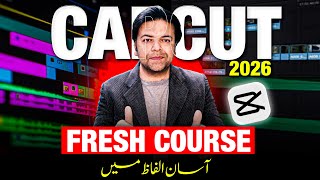
Is video mein main aapko #vn say #videoediting ka complete course sikhaunga, basic cutting se lekar advanced AI effects tak. #vntutorial for you.
In 2026, mobile editing has changed, and VN App is now more powerful than ever. Whether you want to make YouTube vlogs or viral Instagram Reels, this step-by-step tutorial will show you how to use professional tools like Keyframes, Speed Curves, and AI Captions.
What will you learn?
✅ Interface Guide: How to navigate the 2026 VN multi-track timeline easily.
✅ Basic Editing: Clips ko trim, split, aur reorder karne ka sahi tareeka.
✅ AI Intelligent Cutout: Bina green screen ke video ka background remove kaise karein.
✅ Speed Curve: Cinematic slow-motion aur fast-forward effects add karna.
✅ Auto-Captions: 2026 ke naye AI feature se subtitles automatically kaise generate karein.
✅ Advanced Keyframes: Text aur images ko professional tarike se animate karna.
✅ Color Grading: Professional LUTs filters use karke video ko cinematic look dena.
✅ Music & SFX: BeatsClips feature se music ko video ke saath auto-sync karna.
✅ Export Settings: 2026 ke best 4K 60FPS settings for high-quality YouTube uploads.
Time-Stamps:-
00:00:00 | Introduction
00:00:49 | Basics Intro of VN App
00:01:26 | Basic Settings of VN App
00:02:24 | New Project & Orientation
00:03:20 | Filters & Trim in VN
00:04:21 | FX & Animations in VN
00:05:09 | Split & Speed in VN
00:06:29 | Volume & Fade in VN
00:07:57 | Crop, Rotate, Mirror & Fit in VN
00:09:50 | Background & Border in VN
00:10:20 | Blur & Opacity in VN
00:11:05 | Denoise in VN
00:11:33 | Extract Audio & Captions
00:12:19 | Mosaic & Magnifiers
00:13:44 | Storage & Reverse
00:14:31 | PIP in VN
00:17:09 | Background Music VN
00:17:47 | Add Text in VN
00:19:23 | Clips Animations
00:20:16 | Export
00:20:33 | Special Tip
00:22:53 | Outro
Thank You,
#anjumiqbal
Disclaimer:
The content provided in this video is for ed
Watch on YouTube ↗
(saves to browser)
Sign in to unlock AI tutor explanation · ⚡30
More on: UI Design
View skill →









Related AI Lessons
⚡
⚡
⚡
⚡
Reclaiming Human Roles in Automated Systems: Redefining the Human Position in the Loop
Medium · UX Design
Information Architecture for Dashboards: Simplifying Complex Data
Medium · UX Design
The prompt is not an interface
Medium · UX Design
Designing with AI: what happens when creativity meets automation?
Medium · UX Design
Chapters (22)
| Introduction
0:49
| Basics Intro of VN App
1:26
| Basic Settings of VN App
2:24
| New Project & Orientation
3:20
| Filters & Trim in VN
4:21
| FX & Animations in VN
5:09
| Split & Speed in VN
6:29
| Volume & Fade in VN
7:57
| Crop, Rotate, Mirror & Fit in VN
9:50
| Background & Border in VN
10:20
| Blur & Opacity in VN
11:05
| Denoise in VN
11:33
| Extract Audio & Captions
12:19
| Mosaic & Magnifiers
13:44
| Storage & Reverse
14:31
| PIP in VN
17:09
| Background Music VN
17:47
| Add Text in VN
19:23
| Clips Animations
20:16
| Export
20:33
| Special Tip
22:53
| Outro
🎓
Tutor Explanation
 DeepCamp AI