SOCCER GAME in scratch | How to make scratch game | coding and programming | scratch |Easy
Skills:
Visual / Block Coding90%
Key Takeaways
Builds a soccer game using Scratch, covering coding and programming concepts for beginners
Full Transcript
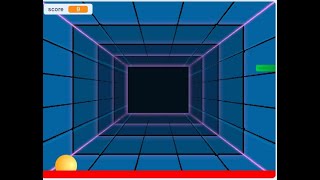
hello everyone welcome back to my channel code for kids how are you all how are city and i hope you are enjoying really very good so thank you so much to watching this video so first thing in our previous video if you will see we created lots of games right so today so we are going to create one more game so first of all what is this game so do you know the soccer game so today we are going to create the soccer game as you can see this is our project name which is soccer game so if you know the soccer game you can write in the comment section yes i know the soccer game okay so now how you will run this game and what output you will get here so first what i will do i will run the application okay so as you can see this is your bin so ben is moving and she is shorted so you need to just press your left right up and down arrow okay so here you have to just move the jordan suppose this ball is here now see you can move up down left right like that so if your ball will reach to the goal you will get the point otherwise you will get your negative see select that we can play this right so first thing we will see what you will require here okay so first thing we will require one backdrop so this is our backdrop even if you you will get that backdrop in a choose a backdrop section okay after that what we will require here we will require the bin which is our first player we will require the jordan which is our second player and then we will require our soccer ball this is our third sprite okay so see we have to add one sprite one backdrop and three spread so this design we have to do here okay after that we will just start from bin if you will see the bin like when i running the project what you will get the bain is moving continuously in the x direction so we can say ben is gliding from one position to another if you will see the position from here to here and you will get a change position here okay so how we will do that we need to just go to the event when flag is split so see we want to move the bin continuously again and again right so for that we have to just take when flag is clicked we want to move the win forever means continuously then we have to glide where you will climb you have to glide from this position to this okay so you need to take that point see in the x-axis we have minus 135 to 16 means this position to this one okay after that we have to just wait for a second so this is our main part this is very easy what algorithm what command you will use here like when we will click on the flag in the forever we have to just move the bain continuously means we have to glide the beam okay so you need to take your starting position and you have to take your ending position so this first is our starting position means this one and then we have to take this ending position so this is our main part okay after that we will see for the jordan jordan is also very simple so here as you can see everyone we have four arrows if you will see up arrow right arrow left arrow down arrow right so it means when we will press the up arrow key where you will get that this one instead of space we have to take a keys so when we will click on up arrow so first thing we want our point in direction to zero but how you will decide this value if you will go to the motion you will get your point in direction this and how you will add a value this see this is the up direction so here we have a zero if you will click on right one so this is your right so just you have to move this automatically you will get your changing values then we have our down and then we have our lift so this is very simple so what direction you want from this cloth you have to to adjust that direction and then you have to set your rotational style so here we will take left right here also we will take left right left right left right okay so this is our jordan part this is very simple we only have a four arrows here up arrow right arrow down arrow left arrow so if you will if you will click any particular arrow so in which direction you want to move that we will get from pointing direction then simply we have to move and we have to set a rotational strike see if i'm clicking up arrow you will get if i've been clicking the right arrow you will get the jordan in the right direction same for left and you will get same for you down okay after that we will see the ball what is this ball and where the ball will move so when we will click on the flag initially always will get your ball from here so this is the position means this position from 0 to 139 so you will get your flag like when we will click on the flag initially we want our ball here which is this goal position after that when flag is clicked initially if you want to set our score to 0 see here you will get your score 0 right so this is our variable means we want to store the score so for that you need to go to the variable we will click on make a variable you have to write your variable name score and click on ok so this row part after that when flag is clicked in the forever if ball will attach to the bail means this one so we have to go to this position a ball will touch to the pane we have to wait for a second and then we will change the score by minus one miss a ball voltage to the bin we have to decrease a point and when ball will touch to the jordan we have to increase the score so if your ball will touch to the jordan first we have to glide the ball to any other position we have to change the score by one so you will get your positive value we have to wait for a second and then it will go to any random position this is not a fixed see this a ball will touch to the bail you will get a point in the minus see and a ball will attach to the jordan so you will get your positive value so this is the coding part we have to do means here we have total three sprite four sprite is your pain it means just we have to move the bean continuously then we have our jordan here we have only fourteen up arrow right arrow down arrow left arrow then we have our ball part okay so in the ball also if ball will touch to the b we have to decrease the score if ball will touch to your jordan we have to increase the score so this only we have to do if you want to create your soccer game so even you can add lots of things here according to your choice okay and i will give you the link in the description box you can check this link you can complete this project and you have to give me the link in the chat box in your comment section okay i will first see that and i will give you some comments also okay so thank you so much for watching this video please please like share and subscribe our channel and press the bell icon if you want more latest update okay so thank you so much have a great day enjoy your day
Original Description
Hello most talented person in the world
Thank you for watching this video, hope you learn something new and make sure to left a comment on your opinion for the video...
Don't forget to like share and subscribe ...
Meet you in the next video ...
#codeforkids #scratch #scratchprogramming #scratchfree
project link: https://scratch.mit.edu/projects/731746132/editor/
scratch link :https://scratch.mit.edu
Watch on YouTube ↗
(saves to browser)
Sign in to unlock AI tutor explanation · ⚡30
Playlist
Uploads from Code For Kids · Code For Kids · 0 of 60
← Previous
Next →
1
 2
2
 3
3
 4
4
 5
5
 6
6
 7
7
 8
8
 9
9
 10
10
 11
11
 12
12
 13
13
 14
14
 15
15
 16
16
 17
17
 18
18
 19
19
 20
20
 21
21
 22
22
 23
23
 24
24
 25
25
 26
26
 27
27
 28
28
 29
29
 30
30
 31
31
 32
32
 33
33
 34
34
 35
35
 36
36
 37
37
 38
38
 39
39
 40
40
 41
41
 42
42
 43
43
 44
44
 45
45
 46
46
 47
47
 48
48
 49
49
 50
50
 51
51
 52
52
 53
53
 54
54
 55
55
 56
56
 57
57
 58
58
 59
59
 60
60

#Scratch Tutorial 1 | How to create your own Scratch account #codeforkids #scratch #Game Development
Code For Kids
#Scratch Tutorial 2 ||How to enable Share Button option in Scratch #codeforkids #scratch #game
Code For Kids
Fish Moving inside an Ocean 🌊🌊 #codeforkids #scratch 🥰
Code For Kids
Scratch Programming | Fish Aquarium game | #codeforkids #scratch #game
Code For Kids
Draw the circle in scratch#codeforkids #scratch #game
Code For Kids
Draw Circles in Scratch || How do you draw shapes on Scratch? #codeforkids #scratch #game #coding
Code For Kids
How to Make a Dino Jump Game in Scratch | Tutorial #codeforkids #scratch #game
Code For Kids
Scratch Tutorial || How to Make a Catch Game in Scratch.|| Scratch Tutorial for absolute beginer
Code For Kids
Scratch Tutorial || Day 1
Code For Kids
Scratch Tutorial || Day 2 (DJ System , Dance and Story writing)
Code For Kids
How to Make A Maze Game in Scratch 3.0 | Scratch 3.0 Tutorial |Scratch Tutorial for begineer
Code For Kids
Scratch Tutorial || Day 3
Code For Kids
Scratch Tutorial || Day 4
Code For Kids
Scratch Tutorial | Cat And Mouse Game | Scratch Tutorial for Beginner
Code For Kids
Scratch Tutorial || Day 5
Code For Kids
how to make dress up game on scratch || Scratch Tutorial for Beginner
Code For Kids
How to Make a Pong Game in Scratch || Scratch Tutorial for Beginner
Code For Kids
Scratch Tutorial || Day 6(part 1)
Code For Kids
Scratch Tutorial || Day 6( Part 2)
Code For Kids
Scratch Tutorial || Day 7
Code For Kids
Scratch Tutorial || Day 8
Code For Kids
How to Make Piano Game || Learn to Use Music Extension || Scratch Tutorial || Day 8
Code For Kids
How to Make Piano Game || Learn to Use Music Extension ||Scratch Tutorial for beginner
Code For Kids
Scratch Tutorial || Day 9
Code For Kids
Scratch Tutorial || Draw Shapes #shorts #codeforkids #youtubeshorts
Code For Kids
Scratch Tutorial |How to Draw Shapes in Scratch #scratch #scratchtutorials #codeforkids
Code For Kids
Day 10|| Scratch Tutorial
Code For Kids
Scratch Tutorial || Archery Tutorial
Code For Kids
#1 || Thunkable Beginner Tutorial Platform Overview
Code For Kids
App Development ||Tutorial 2 || how to add button in Thunkable || Thunkable for beginner #codeforkid
Code For Kids
App Development || Tutorial 3|| Beginner Tip "Change screens with a button click" in Thunkable
Code For Kids
Scratch Tutorial ||
Code For Kids
Thunkable Tutorial || Using Camera and Image Recognition components with Thunkable
Code For Kids
Build a Translator App with Thunkable ||Thunkable App Development || Tutorial 5||
Code For Kids
Thunkable Beginner Tutorial #6 || Web Viewer|| Redirecting App
Code For Kids
#1 World in Python || Python Tutorial || Python Programming || Google Colab
Code For Kids
#2 Python Tutorial for Beginners | User input in Python | Command Line Input | Python Variable
Code For Kids
#3 Python Comments | How To Write Comments In Python | Python Tutorial For Beginners |
Code For Kids
#4 Python Tutorial for Beginners | Data Types in Python
Code For Kids
#5 Numbers & Typecasting in python | Python Tutorial
Code For Kids
#6 Strings Tutorial | How To Use Strings In Python | Python Tutorial | Python Training |
Code For Kids
#7 Slicing And Other Functions In Python | Python Tutorials For Absolute Beginners.
Code For Kids
#8 Boolean in Python | Python Tutorial for Begniner
Code For Kids
#9 Python Tutorial for Beginners | Operators in Python
Code For Kids
#10 Lists And List Functions | Python Tutorials For Absolute Beginners
Code For Kids
#11 Tuple in Python | Python Tutorial
Code For Kids
#12 In Python | Python Sets Tutorial | Python Tutorial for Beginners | #python #pythonprogramming
Code For Kids
#13 If Elif Else Statement in Python || Python Tutorial for Beginners |
Code For Kids
#14 While Loop in Python ||Python Tutorial for Beginners
Code For Kids
Python Tutorial for addition of 2 numbers #shorts #youtubeshorts #codeforkids #pythonprogramming
Code For Kids
Python Tutorial for absolute Beginner|| While loop #pythonprogramming #shorts #youtubeshorts
Code For Kids
Machine learning for the kids with Scratch || Machine Learning for kids ||Day 1
Code For Kids
# Tutorial 1 || Machine Learning for kids | Image Classification example | Girl and boy
Code For Kids
#15 For loop in Python || Python Tutorial for Beginner
Code For Kids
# Tutorial 2 || Machine Learning for kids | Smart Home Automation | Turn On the Fan
Code For Kids
#Tutorial 3 || Snapchat Filter in Machine Learning|| Machine Learning for the kids ||
Code For Kids
#Tutorial 4 || Image Identification || Machine Learning for the kids|| Tiger , Elephant, boy
Code For Kids
Scratch Tutorial || Apple Catcher Game || Fruit Catcher|| catch game in Scratch
Code For Kids
Scratch Tutorial || How to record audio in Scratch || Scratch Tutorial for beginner ||
Code For Kids
Scratch Tutorial || how to translate language in scratch || Scratch tutorial for beginner
Code For Kids
More on: Visual / Block Coding
View skill →




Related Reads
📰
📰
📰
📰
How Creative Characters Like Sprunki Inspire Kids to Learn Coding
Medium · Programming
Computer Applications for Primary School Children: A Fun + Safe Guide for Ages 6-12
Dev.to · Ogunkola Adeola
From 0 to 20 Chapters: My Story‑Driven Rust Book for Kids Now Has a Bilingual Interactive Demo
Dev.to · born1987-ir
How Kids Can Build Fighting Games Stickman in Scratch
Medium · Programming
🎓
Tutor Explanation
 DeepCamp AI