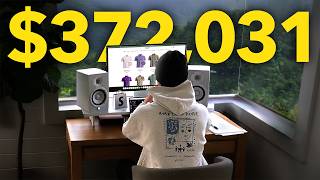
Create 100 AI Ads from 1 Photo (Here's the Template)
Skills:
AI Marketing90%
Automate your ad creative pipeline and turn one product photo into 100 static ads using Flows in ElevenCreative.
Try the Template → https://elevenlabs.io/app/flows/ggTCoEKGy4RYIsIDsbb3?utm_source=youtube&utm_medium=organic&utm_campaign=trend_tutorials&utm_content=create_100_ai_ads_from_1_photo
When it comes to running successful ad campaigns, you need to create, iterate, and test as fast as possible. In this video, we show you how to build an automated ad creation pipeline using Flows in ElevenLabs. Starting from a single product photo, we walk through how to generate professional product shots, place them in different locations, add copy, and then scale that into dozens of ad variations across multiple formats, colors, and languages.
We start by building a simple flow from scratch: turning a product photo into a clean product shot with Nano Banana 2, generating location backgrounds, combining the two, and adding ad copy. Then we show the real power of Flows. By duplicating nodes and using "Run from here," you can A/B test different locations, ad formats (banner, in-page, social, vertical, column), color schemes, languages, and even discount percentages, all from one base flow. Swap out the product image, hit run, and every variation regenerates automatically.
We also show how to take a winning static ad and turn it into a slow-moving video ad by adding a Video Generation node, giving you both static and motion creatives from the same pipeline.
The full template is linked below so you can try it yourself.
Try the Template → https://elevenlabs.io/app/flows/ggTCoEKGy4RYIsIDsbb3?utm_source=youtube&utm_medium=organic&utm_campaign=trend_tutorials&utm_content=create_100_ai_ads_from_1_photo
How to Create 100 AI Ads with Flows:
00:00 - Turn 1 Photo into 100 Ads
00:11 - Why AI Ad Testing at Scale Works
00:37 - Building Your First Ad Flow
01:36 - Combining Product with Location Backgrounds
02:22 - Creating Variations & Run From Here
03:24 - The 100-Ad Template Walkthro
Watch on YouTube ↗
(saves to browser)
Sign in to unlock AI tutor explanation · ⚡30
More on: AI Marketing
View skill →








Related AI Lessons
Chapters (6)
Turn 1 Photo into 100 Ads
0:11
Why AI Ad Testing at Scale Works
0:37
Building Your First Ad Flow
1:36
Combining Product with Location Backgrounds
2:22
Creating Variations & Run From Here
3:24
The 100-Ad Template Walkthro
🎓
Tutor Explanation

 DeepCamp AI