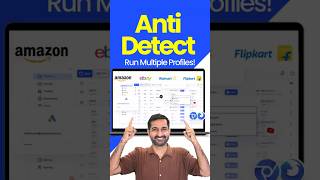
AdsPower Tutorial 2026 | Best Anti Detect Browser to Manage Multiple Accounts
Skills:
AI Productivity Tools80%
Key Takeaways
Uses AdsPower Antidetect Browser to manage multiple accounts safely
Original Description
Tool: https://www.adspower.com/share/dolphyai
If you are looking for a way to manage multiple accounts safely, this video will help you understand how an **Antidetect Browser** works and why it is important for online businesses. In this video, I will show you a complete **AdsPower Tutorial** where you will learn how the **AdsPower Browser** helps users manage multiple accounts using advanced **Anti Fingerprint Browser** technology.
⏱️ Timestamps
0:00 – AdsPower anti‑detect browser intro for multi‑account
0:13 – Multi‑account for e‑commerce, social media, paid ads
0:19 – IP & browser fingerprint detection explained
0:25 – Avoid bans with AdsPower multi‑account
0:33 – AdsPower dashboard & 720 days free plan
0:49 – AdsPower sign up & Google login
1:20 – Create profile: browser, OS, user agent
2:19 – Group profiles for YouTube, Facebook, Amazon, eBay
2:31 – Add proxies (IP address, residential proxy)
5:19 – IP address vs fake IP (proxy)
6:32 – Buy residential proxy for multi‑account
9:13 – Residential proxy vs data center proxy
10:14 – Never use free IPs (ban risk)
11:05 – anti‑detect browser doc – proxies, WebRTC, fingerprint, hardware noise, WebGL
12:04 – Set platform: YouTube, Facebook, Amazon, eBay, TikTok, crypto, SEO
12:43 – Fingerprint settings: WebRTC, time zone, screen resolution, fonts
13:00 – Use “Replace” for WebRTC in multi‑account
14:24 – Time zone & location based on IP
15:00 – Hardware noise (canvas, WebGL, audio context, media device, speech)
16:13 – WebGL metadata – real vs custom GPU
17:19 – Data sync & browser settings (default)
17:34 – Open AdsPower profile (Edge Power / Sun browser)
18:43 – Multi‑account for YouTube, Facebook, Amazon, eBay, crypto
19:13 – 2 free profiles & AdsPower upgrade plans
19:59 – Synchroniser: control multiple profiles together
21:23 – Human‑like behavior & SEO
21:46 – Automation: YouTube, Facebook Ads, SEO, crypto
22:13 – Next video: full automation setup
22:30 – Ge
Watch on YouTube ↗
(saves to browser)
Sign in to unlock AI tutor explanation · ⚡30
More on: AI Productivity Tools
View skill →









Related Reads
📰
📰
📰
📰
Top 30 Penetration Testing Companies in the USA (Ranked & Compared)
Medium · Cybersecurity
Every AI Security Scanner We Tried Disagreed With Each Other.
Medium · Cybersecurity
Critical Arista VeloCloud Orchestrator Zero-Day Vulnerability Highlights the Importance of Rapid…
Medium · Cybersecurity
Set a New Password on a Victim PC Remotely (Post-Exploitation)
Medium · Cybersecurity
Chapters (29)
AdsPower anti‑detect browser intro for multi‑account
0:13
Multi‑account for e‑commerce, social media, paid ads
0:19
IP & browser fingerprint detection explained
0:25
Avoid bans with AdsPower multi‑account
0:33
AdsPower dashboard & 720 days free plan
0:49
AdsPower sign up & Google login
1:20
Create profile: browser, OS, user agent
2:19
Group profiles for YouTube, Facebook, Amazon, eBay
2:31
Add proxies (IP address, residential proxy)
5:19
IP address vs fake IP (proxy)
6:32
Buy residential proxy for multi‑account
9:13
Residential proxy vs data center proxy
10:14
Never use free IPs (ban risk)
11:05
anti‑detect browser doc – proxies, WebRTC, fingerprint, hardware noise, WebGL
12:04
Set platform: YouTube, Facebook, Amazon, eBay, TikTok, crypto, SEO
12:43
Fingerprint settings: WebRTC, time zone, screen resolution, fonts
13:00
Use “Replace” for WebRTC in multi‑account
14:24
Time zone & location based on IP
15:00
Hardware noise (canvas, WebGL, audio context, media device, speech)
16:13
WebGL metadata – real vs custom GPU
17:19
Data sync & browser settings (default)
17:34
Open AdsPower profile (Edge Power / Sun browser)
18:43
Multi‑account for YouTube, Facebook, Amazon, eBay, crypto
19:13
2 free profiles & AdsPower upgrade plans
19:59
Synchroniser: control multiple profiles together
21:23
Human‑like behavior & SEO
21:46
Automation: YouTube, Facebook Ads, SEO, crypto
22:13
Next video: full automation setup
22:30
Ge
🎓
Tutor Explanation
 DeepCamp AI