Linux & CLI
Navigate Linux systems, write bash scripts, and manage processes.
0%
Confidence · no data yet
After this skill you can…
- Navigate the filesystem, manage permissions, and use pipes
- Write a bash script with variables, loops, and functions
- Monitor processes with top, htop, and systemctl
Watch (10 videos)

Public cloud vs. on-prem: Summit on where each workload belongs
→ Use Linux commands→ Configure cloud infrastructure→ Troubleshoot cloud issues

Why 56,000 Linux Admin Jobs Go Unfilled in 2026
→ Use bash scripting for automation→ Manage Linux servers→ Configure user accounts and permissions

AWS Full Course 2026 | AWS Tutorial For Beginners | Comple AWS Services In 48 Houts | Simplilearn
→ Use Linux commands→ Navigate AWS CLI

Cisco 350-601 Syllabus Breakdown: What You MUST Know for the DC CCNP Exam
→ Configure Cisco Nexus switching→ Implement ACI architecture

Microsoft Azure Database Administrator Full Course | Microsoft Azure AZ-104 Course | Simplilearn
→ Configure Azure CLI→ Use Azure CLI to manage resources

Microsoft Azure Database Administrator Full Course 2026 [FREE] | Azure AZ-104 Course | Simplilearn
→ Configure Azure services→ Manage storage and networking in Azure→ Implement security measures in Azure

Ubuntu vs Debian vs Fedora: Which Linux Is for You?
→ Manage Linux distributions→ Configure package managers→ Optimize server footprint
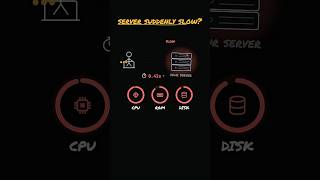
Find What's Slowing Down Your Linux Server 🐢
→ Install packages on Linux→ Use htop for process management

Microsoft Azure DevOps Engineer Full Course 2026 [FREE] | Microsoft Azure AZ400 Course | Simplilearn
→ Use Linux commands→ Navigate the Azure CLI

Ranking Linux distros (for quant)
→ Choose a suitable Linux distribution for a quantitative firm→ Configure a Linux environment for cloud workloads→ Evaluate the stability and reliability of a Linux distribution
 DeepCamp AI