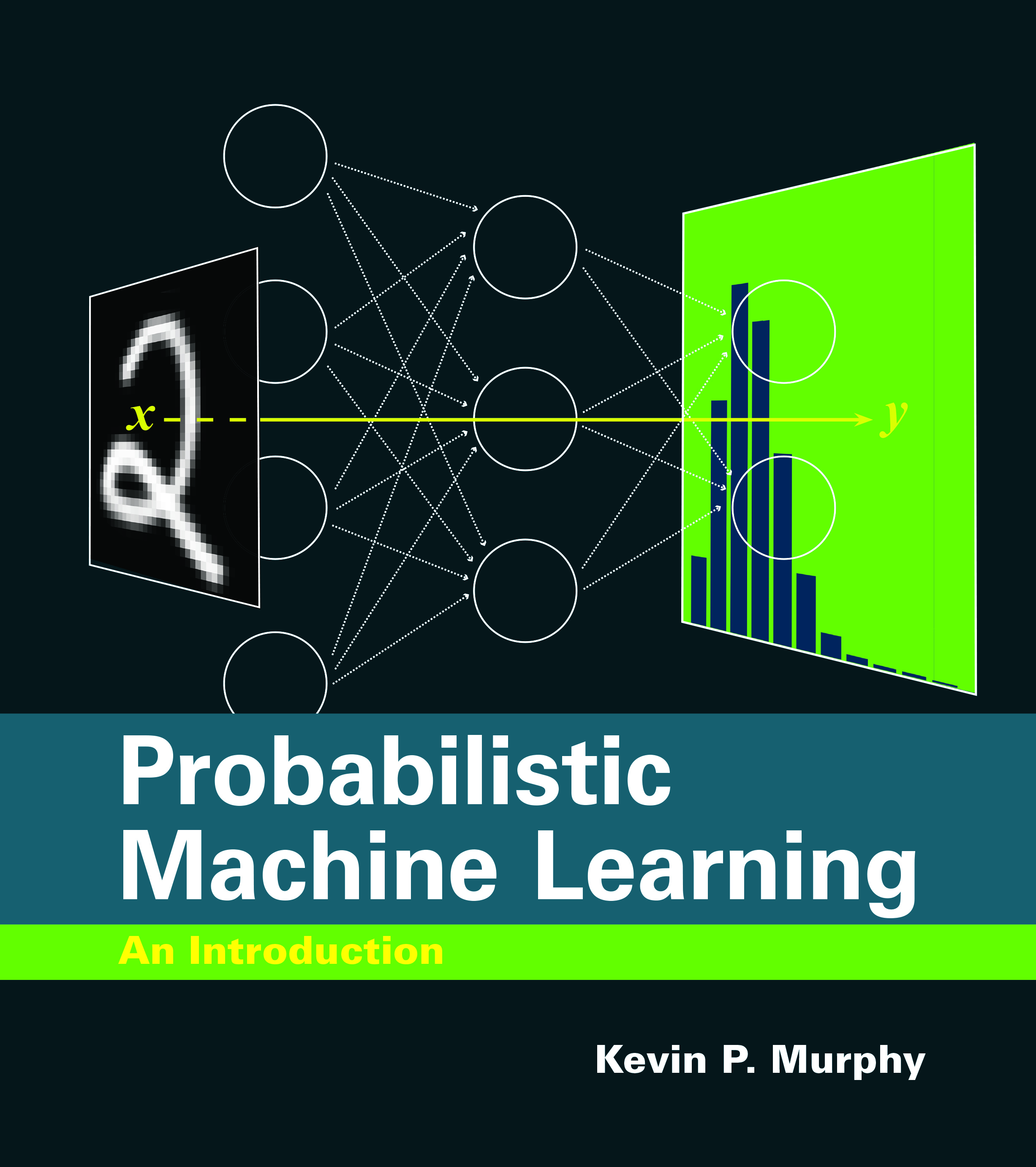
Probabilistic Machine Learning: An Introduction
📰 Hacker News · joaorico
Learn the fundamentals of probabilistic machine learning with a free online book and accompanying code, and apply these concepts to real-world problems
Action Steps
- Read the preface and table of contents to understand the scope of the book
- Download the draft pdf file and explore the code accompanying the book
- Run the code in colab to recreate figures and demos
- Apply probabilistic machine learning concepts to a real-world problem using the code and book as a guide
- Use the solutions to exercises and other teaching resources to deepen understanding
Who Needs to Know This
Data scientists and machine learning engineers can benefit from this resource to improve their understanding of probabilistic machine learning and apply it to their projects
Key Insight
💡 Probabilistic machine learning is a key concept in machine learning that can be applied to a wide range of problems, and this book provides a comprehensive introduction
Share This
📚 Learn probabilistic machine learning with a free online book and code! 🤖 #machinelearning #probabilisticml
Key Takeaways
Learn the fundamentals of probabilistic machine learning with a free online book and accompanying code, and apply these concepts to real-world problems
Full Article
Title: Probabilistic Machine Learning: An Introduction
URL Source: https://probml.github.io/pml-book/book1.html
Published Time: Wed, 10 Dec 2025 20:33:19 GMT
Markdown Content:
# Probabilistic Machine Learning: An Introduction
by [Kevin Patrick Murphy](https://www.cs.ubc.ca/~murphyk/).
MIT Press, March 2022.
## Key links
* [Short table of contents](https://probml.github.io/pml-book/book1.html#toc)
* [Long table of contents](https://probml.github.io/pml-book/toc1.pdf)
* [Preface](https://probml.github.io/pml-book/preface1.pdf)
* [Draft pdf file](https://github.com/probml/pml-book/releases/latest/download/book1.pdf), 2025-04-18. CC-BY-NC-ND license. (Please cite the official reference below.)
* [Report issues here](https://github.com/probml/pml-book/issues)
* Order a hardcopy from [MIT Press](https://mitpress.mit.edu/books/probabilistic-machine-learning) or [Amazon](https://www.amazon.com/Probabilistic-Machine-Learning-Introduction-Computation/dp/0262046822)..
* [Figures from the book](https://github.com/probml/pml-book/tree/main/book1-figures) (png files)
* [Code to reproduce most of the figures](https://github.com/probml/pyprobml/tree/master/notebooks/book1)
* [Diff from 2012 book](https://github.com/probml/pml-book/blob/main/transition-guide-2012-to-2022.pdf)
* [Solutions to (non-starred) exercises](https://probml.github.io/pml-book/solns-public.pdf)
* [](https://probml.github.io/pml-book/solns-public.pdf)[Other teaching resources](https://probml.github.io/pml-book/teaching1.html)
* [Reviews](https://probml.github.io/pml-book/book1.html#reviews)
* [Endorsements](https://probml.github.io/pml-book/book1.html#endorsements)
* [Acknowledgements](https://probml.github.io/pml-book/book1.html#ack)
If you use this book, please be sure to cite
```
@book{pml1Book,
author = "Kevin P. Murphy",
title = "Probabilistic Machine Learning: An introduction",
publisher = "MIT Press",
year = 2022,
url = "http://probml.github.io/book1"
}
```
Downloads since 2021-01-01. 
## [Table of contents](https://probml.github.io/pml-book/book1.html)
[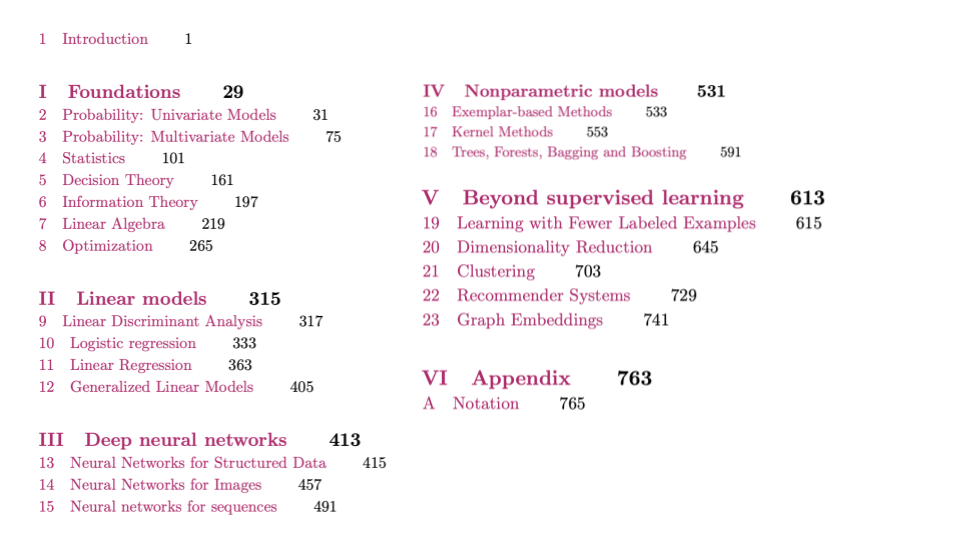](https://probml.github.io/pml-book/book1.html)
## [](https://probml.github.io/pml-book/book1.html)[Code accompanying the book](https://probml.github.io/pml-book/book1.html)
[Code to recreate all the figures can be found in a series of colabs, one per chapter, stored](https://probml.github.io/pml-book/book1.html)[here](https://github.com/probml/pyprobml/tree/master/notebooks/book1). When reading the pdf version of the book, you can click on any link labeled **figures.probml.ai/x.y** and it will open up the colab for chapter x; the cursor should scroll down to the cell for figure y. Once you get there, click on the button labeled 'setup' and it will install any necessary code. (The first time you do this it may take about 10 seconds, but subsequent setups for other cells in the same chapter should be faster, even if they open in a new tab.) After setup, click on the following cell and it will run the code for you. (It should automagically install any missing packages as well, although you may need to run the cell twice to make this work.)
The code for most figures is stored in individual files in the [scripts](https://github.com/probml/pyprobml/tree/master/deprecated/scripts) directory. You can run these locally (on your laptop), but it's often faster to run in colab (especially for demos that use a GPU). To do this, just type `%run foo.py`. You can also edit the file in colab, and then rerun it. Note, however, that changes to local files will not be saved beyond the current colab session. (A better, but more complex, approach is to use VScode to ssh into the colab machine, see [this page](https://github.com/probml/pyprobml/
URL Source: https://probml.github.io/pml-book/book1.html
Published Time: Wed, 10 Dec 2025 20:33:19 GMT
Markdown Content:
# Probabilistic Machine Learning: An Introduction
by [Kevin Patrick Murphy](https://www.cs.ubc.ca/~murphyk/).
MIT Press, March 2022.

## Key links
* [Short table of contents](https://probml.github.io/pml-book/book1.html#toc)
* [Long table of contents](https://probml.github.io/pml-book/toc1.pdf)
* [Preface](https://probml.github.io/pml-book/preface1.pdf)
* [Draft pdf file](https://github.com/probml/pml-book/releases/latest/download/book1.pdf), 2025-04-18. CC-BY-NC-ND license. (Please cite the official reference below.)
* [Report issues here](https://github.com/probml/pml-book/issues)
* Order a hardcopy from [MIT Press](https://mitpress.mit.edu/books/probabilistic-machine-learning) or [Amazon](https://www.amazon.com/Probabilistic-Machine-Learning-Introduction-Computation/dp/0262046822)..
* [Figures from the book](https://github.com/probml/pml-book/tree/main/book1-figures) (png files)
* [Code to reproduce most of the figures](https://github.com/probml/pyprobml/tree/master/notebooks/book1)
* [Diff from 2012 book](https://github.com/probml/pml-book/blob/main/transition-guide-2012-to-2022.pdf)
* [Solutions to (non-starred) exercises](https://probml.github.io/pml-book/solns-public.pdf)
* [](https://probml.github.io/pml-book/solns-public.pdf)[Other teaching resources](https://probml.github.io/pml-book/teaching1.html)
* [Reviews](https://probml.github.io/pml-book/book1.html#reviews)
* [Endorsements](https://probml.github.io/pml-book/book1.html#endorsements)
* [Acknowledgements](https://probml.github.io/pml-book/book1.html#ack)
If you use this book, please be sure to cite
```
@book{pml1Book,
author = "Kevin P. Murphy",
title = "Probabilistic Machine Learning: An introduction",
publisher = "MIT Press",
year = 2022,
url = "http://probml.github.io/book1"
}
```
Downloads since 2021-01-01. 
## [Table of contents](https://probml.github.io/pml-book/book1.html)
[](https://probml.github.io/pml-book/book1.html)
## [](https://probml.github.io/pml-book/book1.html)[Code accompanying the book](https://probml.github.io/pml-book/book1.html)
[Code to recreate all the figures can be found in a series of colabs, one per chapter, stored](https://probml.github.io/pml-book/book1.html)[here](https://github.com/probml/pyprobml/tree/master/notebooks/book1). When reading the pdf version of the book, you can click on any link labeled **figures.probml.ai/x.y** and it will open up the colab for chapter x; the cursor should scroll down to the cell for figure y. Once you get there, click on the button labeled 'setup' and it will install any necessary code. (The first time you do this it may take about 10 seconds, but subsequent setups for other cells in the same chapter should be faster, even if they open in a new tab.) After setup, click on the following cell and it will run the code for you. (It should automagically install any missing packages as well, although you may need to run the cell twice to make this work.)
The code for most figures is stored in individual files in the [scripts](https://github.com/probml/pyprobml/tree/master/deprecated/scripts) directory. You can run these locally (on your laptop), but it's often faster to run in colab (especially for demos that use a GPU). To do this, just type `%run foo.py`. You can also edit the file in colab, and then rerun it. Note, however, that changes to local files will not be saved beyond the current colab session. (A better, but more complex, approach is to use VScode to ssh into the colab machine, see [this page](https://github.com/probml/pyprobml/
 DeepCamp AI