Hello Dev Community!

📰 Dev.to · Bytes Brawler

Learn to write and run a basic Python program with a print statement

beginner Published 7 Mar 2026
Action Steps
  1. Write a Python script using a text editor or IDE
  2. Add the print statement print("Hello World!") to the script
  3. Save the script with a .py extension
  4. Run the script using a Python interpreter or IDE
  5. Verify the output to ensure it prints "Hello World!" to the console
Who Needs to Know This

Junior software engineers and developers can benefit from this basic example to get started with Python programming

Key Insight

💡 Python scripts can be run using an interpreter or IDE to execute print statements and other code

Share This
👋 Write your first Python program with print("Hello World!")

Full Article

print("Hello World!") Enter fullscreen mode Exit fullscreen mode
Read full article → ← Back to Reads

Related Videos

Dropout in Deep Learning
AnuTech-CH
Reinforcement Learning : Agent, Environment, Action, Reward, Policy Simply Explained
codehubgenius
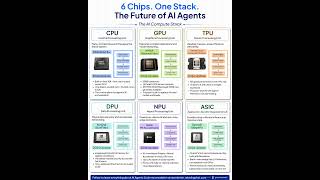
6 AI Chips Explained | CPU vs GPU vs TPU vs NPU
Rakesh Gohel
1. Overview of Artificial Intelligence | What is AI? Fundamental Concepts  & Complete History of AI
1. Overview of Artificial Intelligence | What is AI? Fundamental Concepts & Complete History of AI
Professor Rahul Jain
2. Artificial Intelligence (AI) Explained | AI Problems, AI Techniques & Real-World Applications
Professor Rahul Jain
4. Problem Formulation in AI | Production Systems, Control Strategies & Problem Characteristics
Professor Rahul Jain